# Vuex
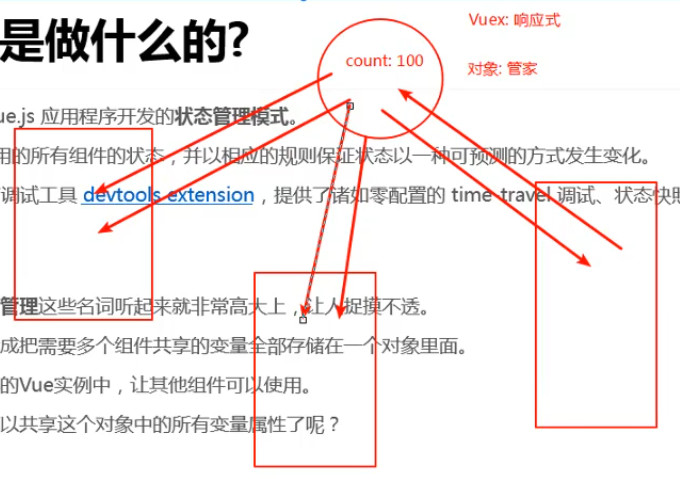
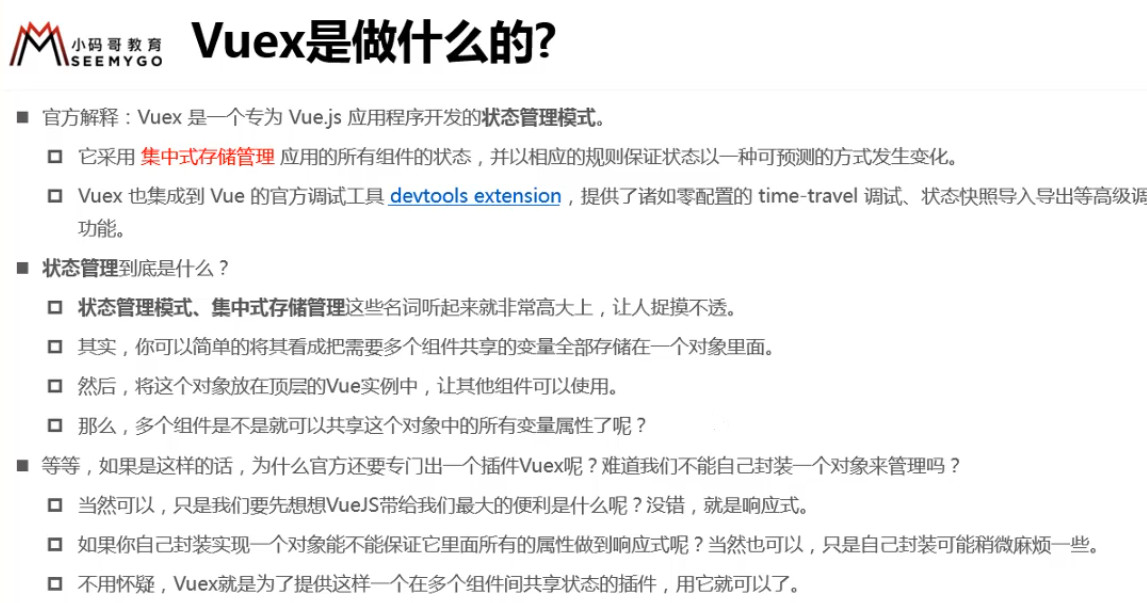
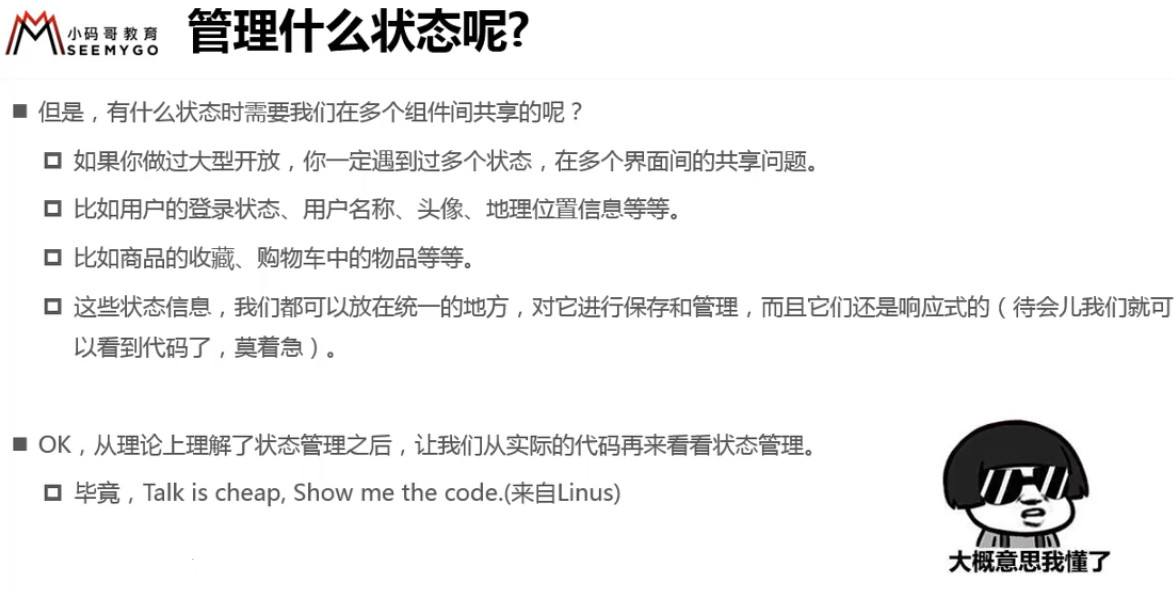
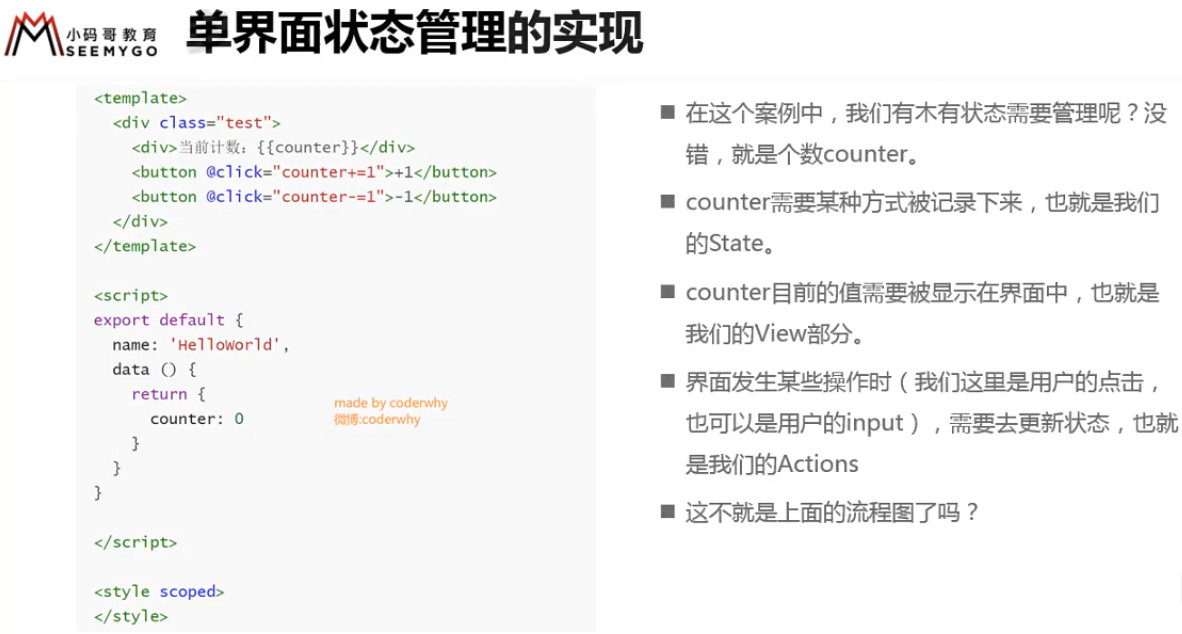
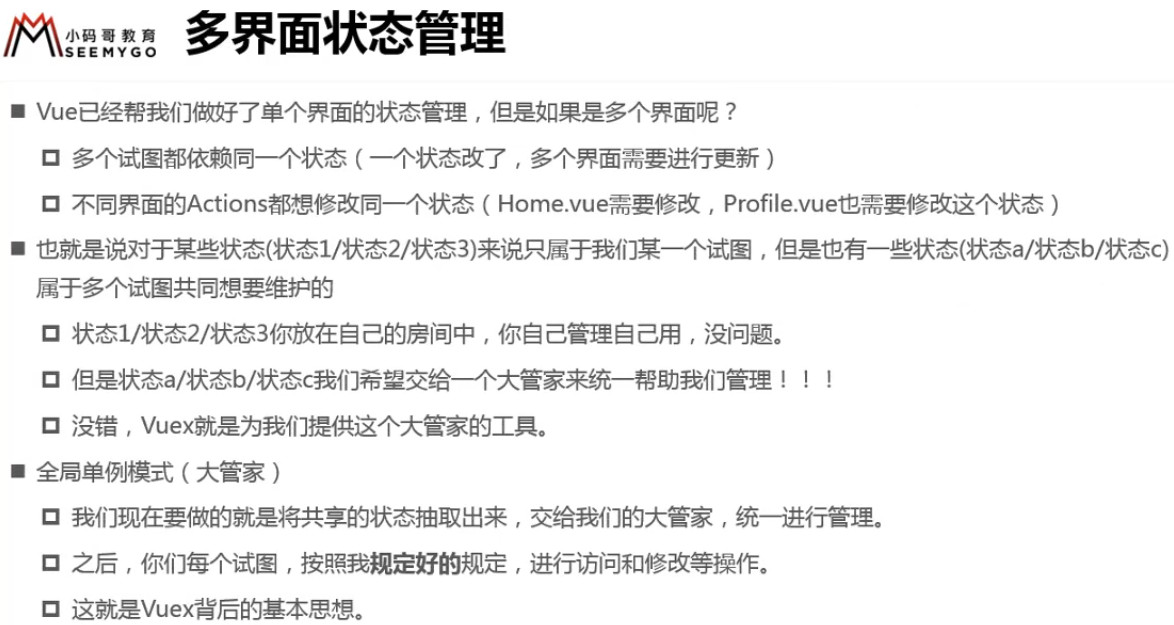
全局状态管理模式:把多个组件共用的数据抽离出来,通过一个单例模式进行管理。
状态是变量,也是数据。
Vuex 是具备【全局状态管理模式】的库,是对象,也是状态的管家。
![3 [1].jpg](https://cdn.nlark.com/yuque/0/2022/jpeg/1614731/1653726846123-58efde13-1d4f-4aed-9fa2-c4ccc95873ee.jpeg)
以上代码虽然可以做到数据共享,但是无法实现响应式
# 安装 Vuex

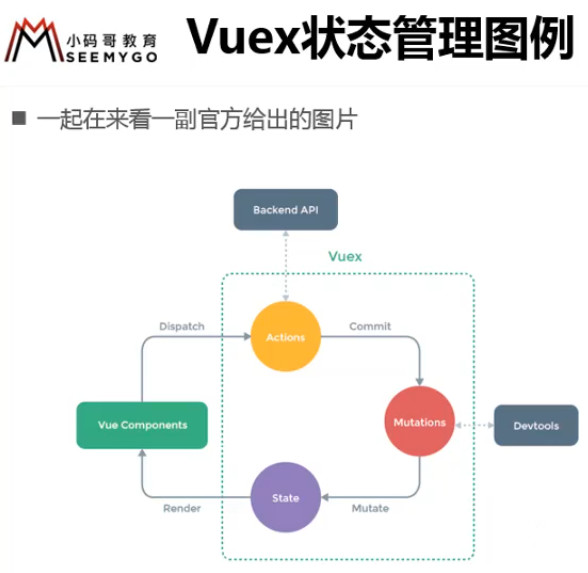
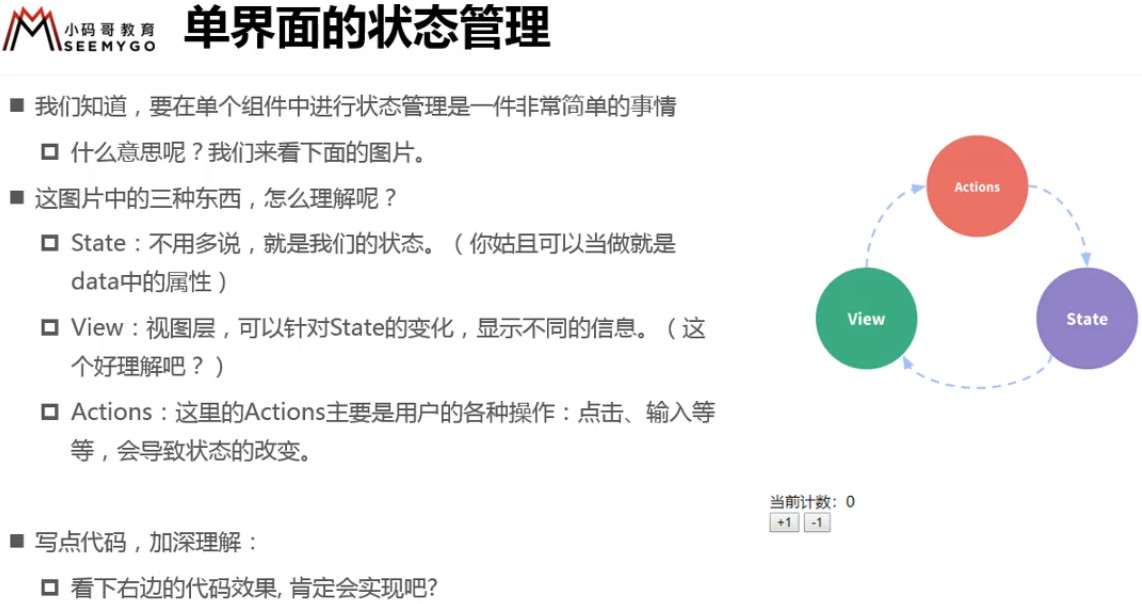
| State 状态 | 存储状态,供全局使用 |
|---|---|
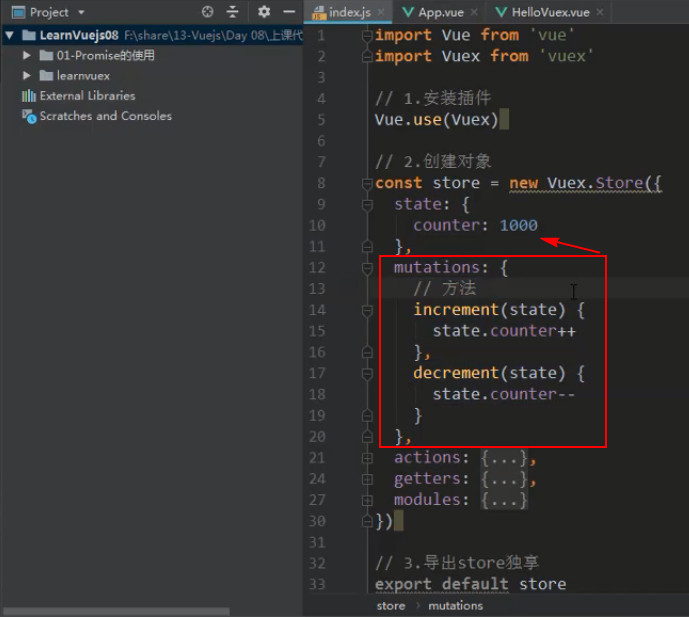
| Mutations 改变 | 负责跟踪哪个页面组件修改了 state |
| Actions 操作(可有可无) | 负责异步操作,向后端 API 发送请求 |
| Devtools | Vue 开发的浏览器插件,跟踪多个页面的修改,防止修改错误 |
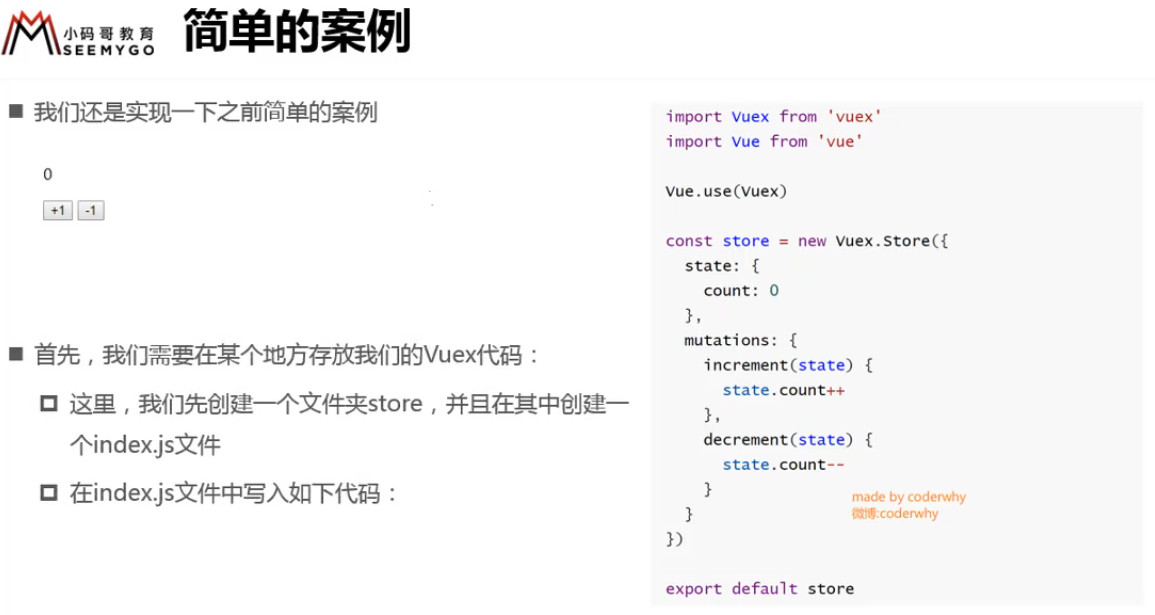
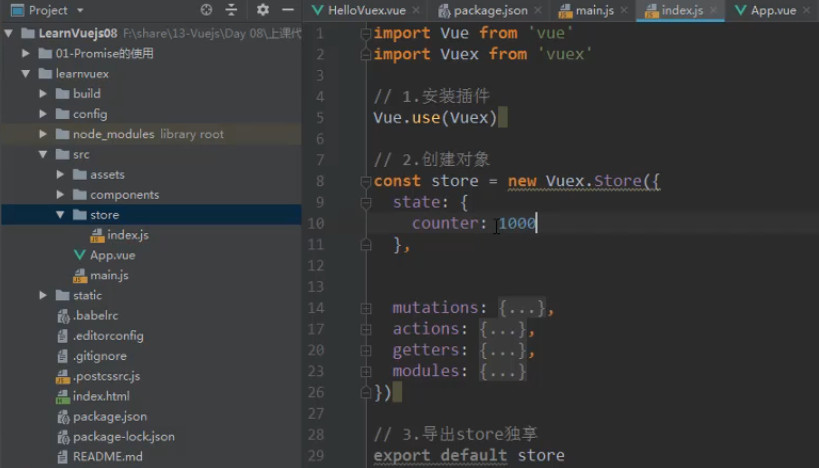
store文件夹 index.js
import Vue from 'vue'
import Vuex from 'vuex'

Vue.use(Vuex);

const store = new Vuex.Store(
  {
    state: {
      count: 0
    },
    getters: {},
    mutations: {

    },
    actions: {

    }
  }
)

export default store
2
3
4
5
6
7
8
9
10
11
12
13
14
15
16
17
18
19
20
21
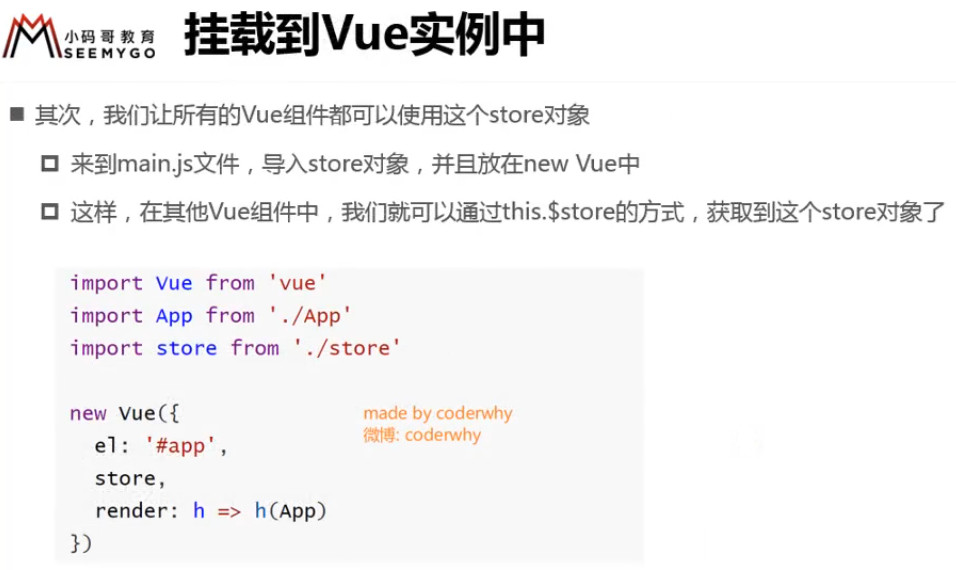
main.js
import Vue from 'vue'
import App from './App'
import router from './router'
import store from "./store"

Vue.config.productionTip = false

new Vue({
  el: '#app',
  router,
  store, // 把 store 对象添加到 vue 实例上
  render: h => h(App)
})
2
3
4
5
6
7
8
9
10
11
12
13
APP.vue
官方建议 this.$store.state.XXX 最好放在计算属性中
<template>
  <div id="app">
    <h2>app组件的内容</h2>
    <p>{{$store.state.count}}</p>
    <button @click="increase">+1</button>
    <button @click="decrease">-1</button>
  </div>
</template>

<script>
  export default {
    name: 'App',
    methods: {
      increase() {
        return this.$store.state.count++;
      },
      decrease() {
        return this.$store.state.count--;
      }
    }
  }
</script>

<style>
</style>
2
3
4
5
6
7
8
9
10
11
12
13
14
15
16
17
18
19
20
21
22
23
24
25
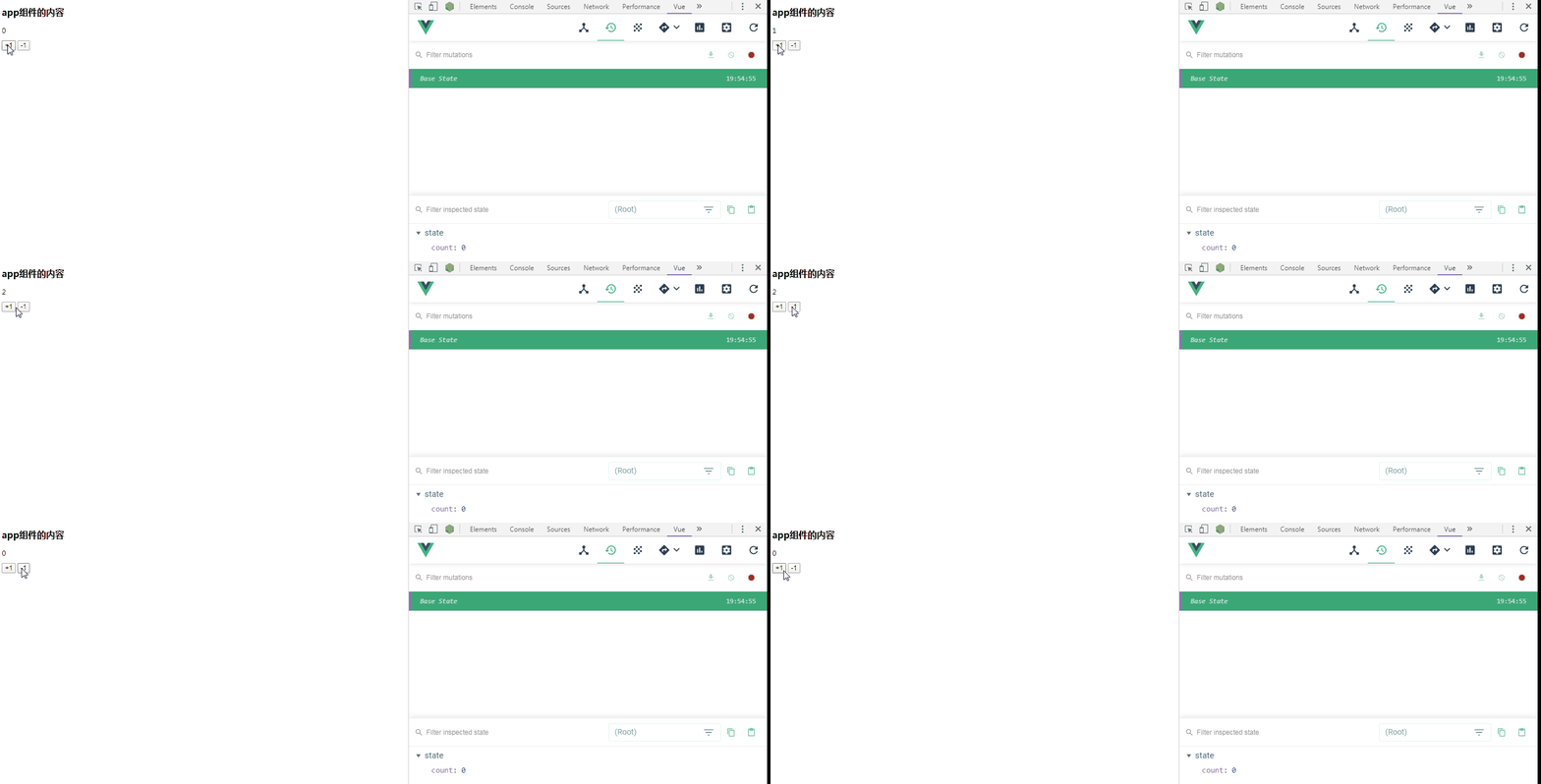
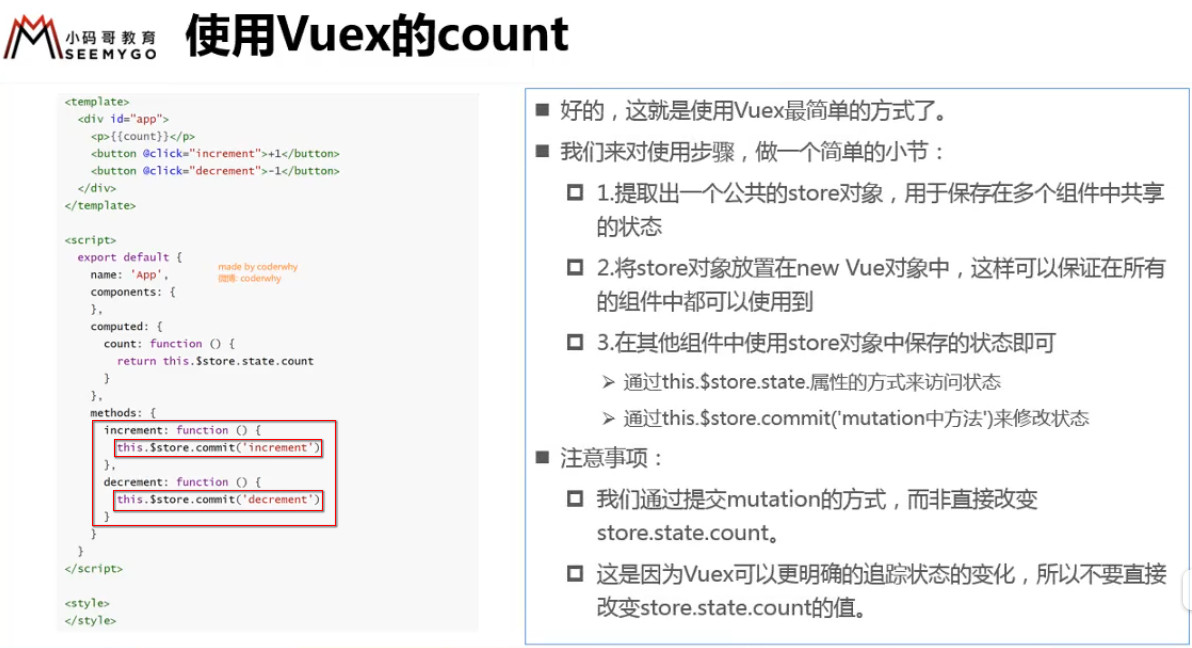
![3 [1].gif](https://cdn.nlark.com/yuque/0/2022/gif/1614731/1653726846564-e0267cab-aec6-4e5b-b0b5-59fa1fe728a3.gif)
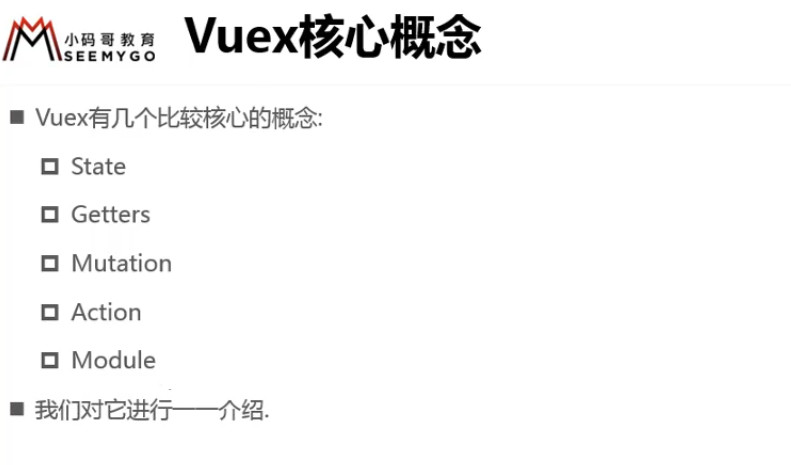
# state 单一状态树的理解
![3 [15].jpg](https://cdn.nlark.com/yuque/0/2022/jpeg/1614731/1653726849507-abf1f96d-aa20-4ca0-ae45-b95ced64fba3.jpeg)
只建一个 Store,不然不方便维护
# getter 的使用详解
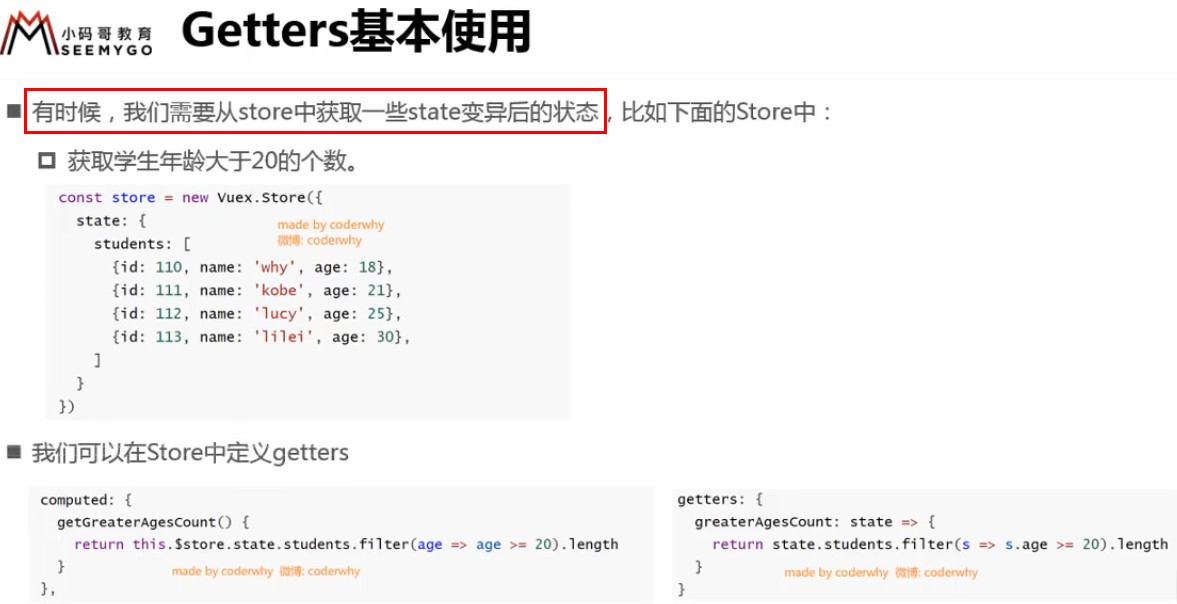
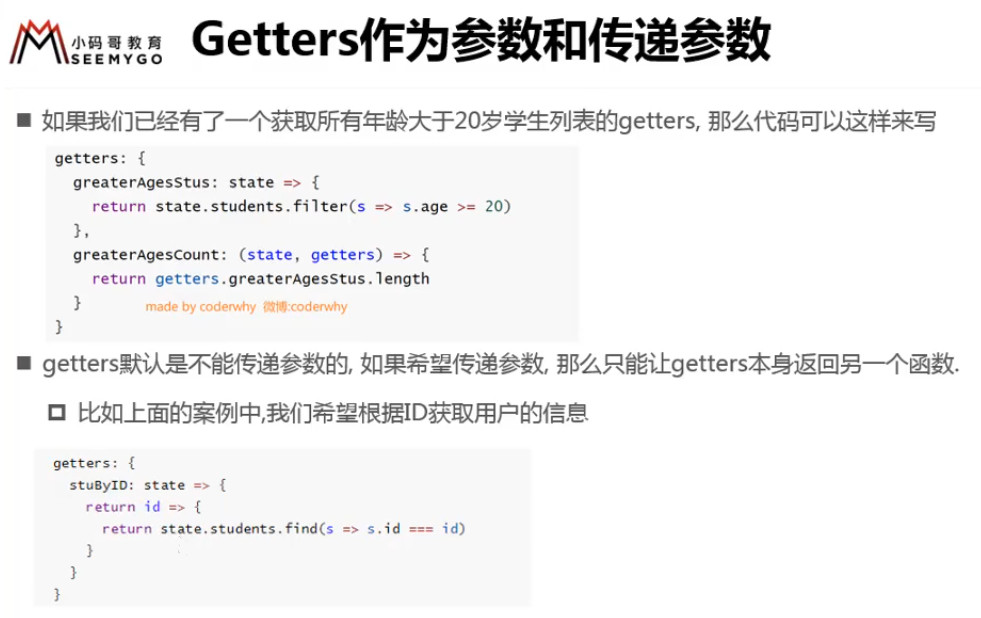
Vuex 允许我们在 store 中定义“getter”(可以认为是 store 的计算属性)。
就像计算属性一样,getter 的返回值会根据它的依赖被缓存起来,且只有当它的依赖值发生了改变才会被重新计算。
![3 [18].jpg](https://cdn.nlark.com/yuque/0/2022/jpeg/1614731/1653726850156-ac6820e4-0f8a-405a-8933-a7e90a23877e.jpeg)
![3 [19].jpg](https://cdn.nlark.com/yuque/0/2022/jpeg/1614731/1653726850183-cf8b3926-c28a-4dec-bc82-468e347fac87.jpeg)
![3 [20].jpg](https://cdn.nlark.com/yuque/0/2022/jpeg/1614731/1653726850703-d9db2d75-899d-496a-a6e1-ebd549dd7554.jpeg)
![3 [21].jpg](https://cdn.nlark.com/yuque/0/2022/jpeg/1614731/1653726851056-1feffe3e-b2a2-4117-b260-eecf3c399fb2.jpeg)
# mutations 携带参数
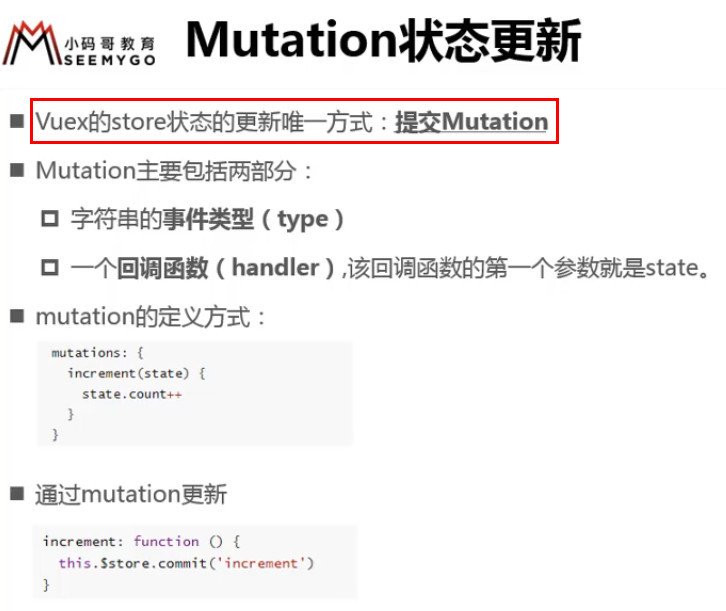
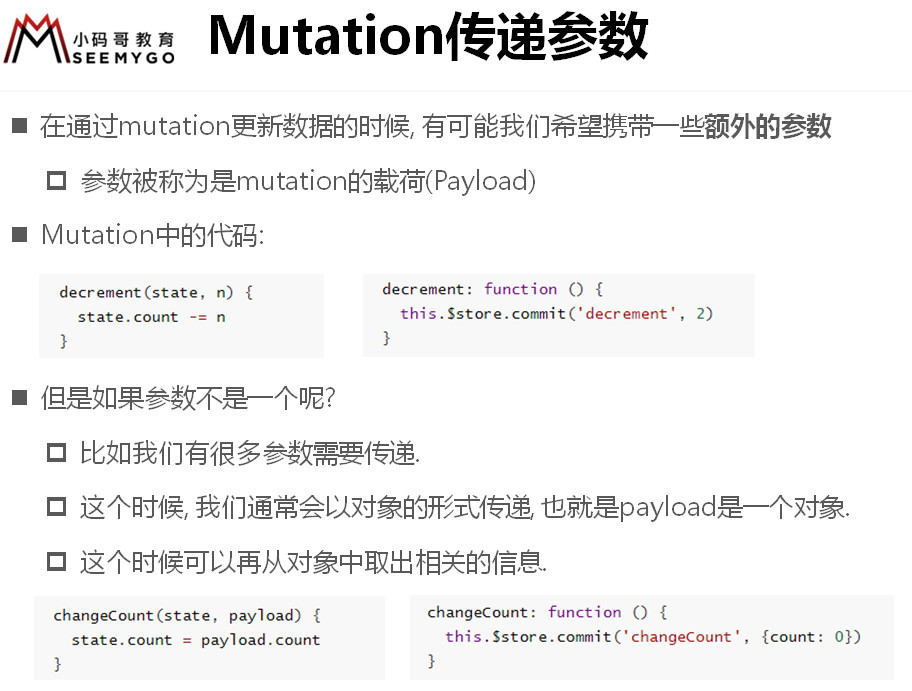
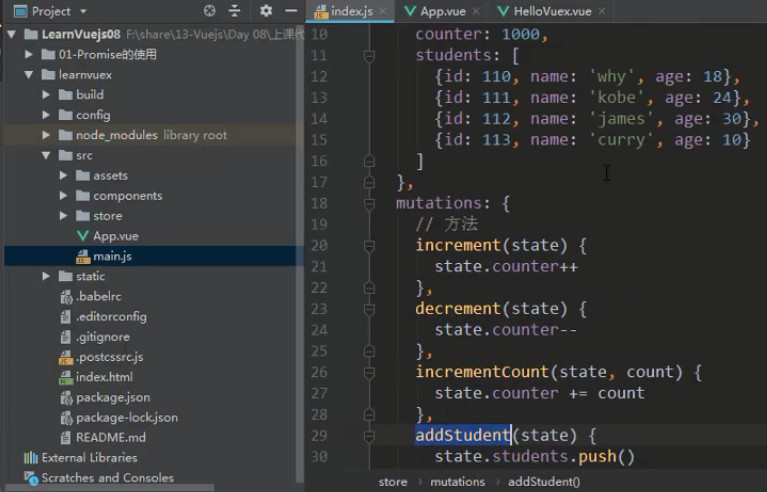
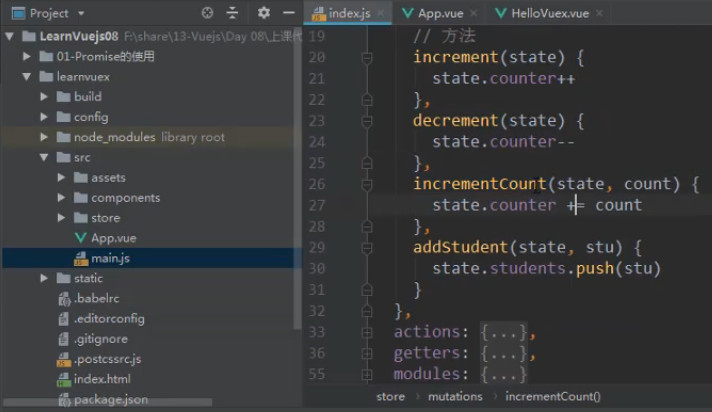
Vuex 中的 mutation 非常类似于事件:每个 mutation 都有一个字符串的 事件类型 (type) 和 一个 回调函数 (handler)。
这个回调函数就是我们实际进行状态更改的地方,并且它会接受 state 作为第一个参数:
const store = new Vuex.Store({
  state: {
    count: 1
  },
  mutations: {
    increment (state) {
      // 变更状态
      state.count++
    }
  }
})
2
3
4
5
6
7
8
9
10
11
你不能直接调用一个 mutation 的 handler。这个参数更像是事件注册:“当一个类型为 increment 的 mutation 被唤醒时,调用此函数。”
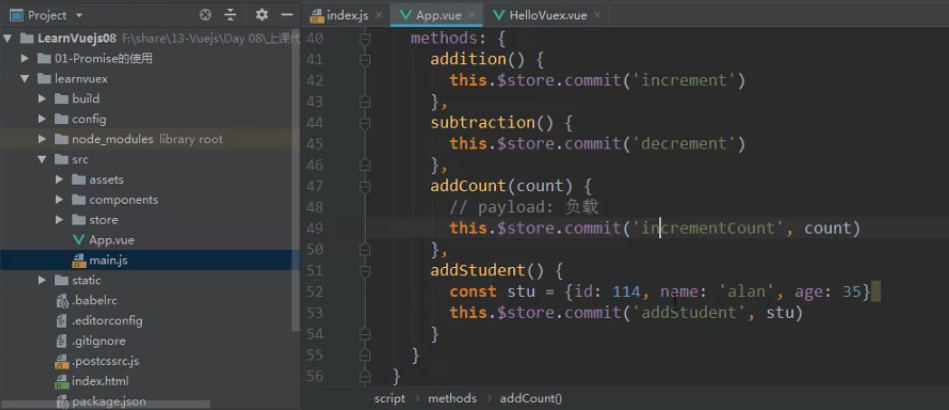
要唤醒一个 mutation handler,你需要以相应的 type 调用 store.commit 方法:
store.commit('increment')
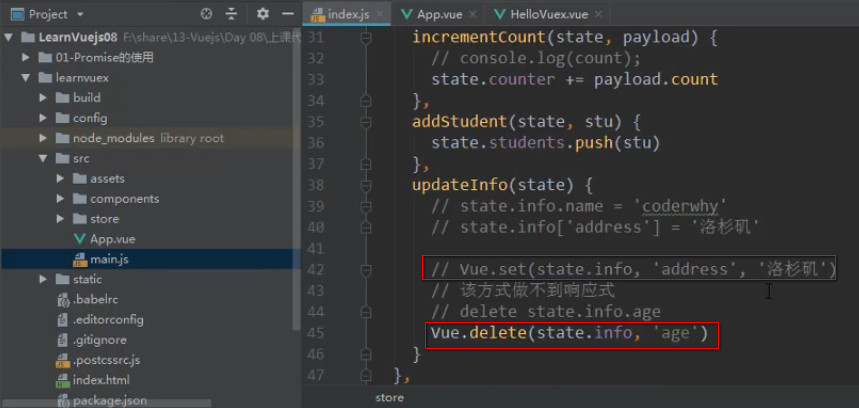
# Vuex 数据的响应规则
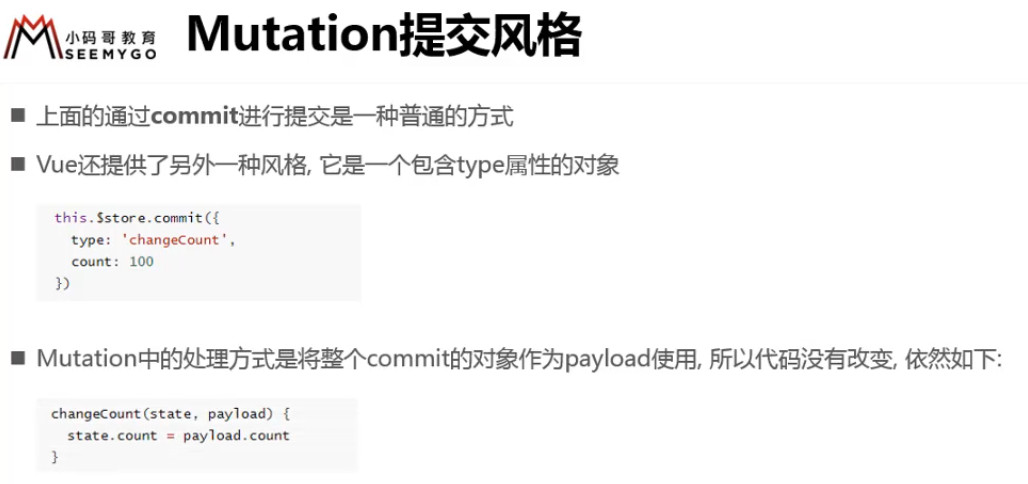
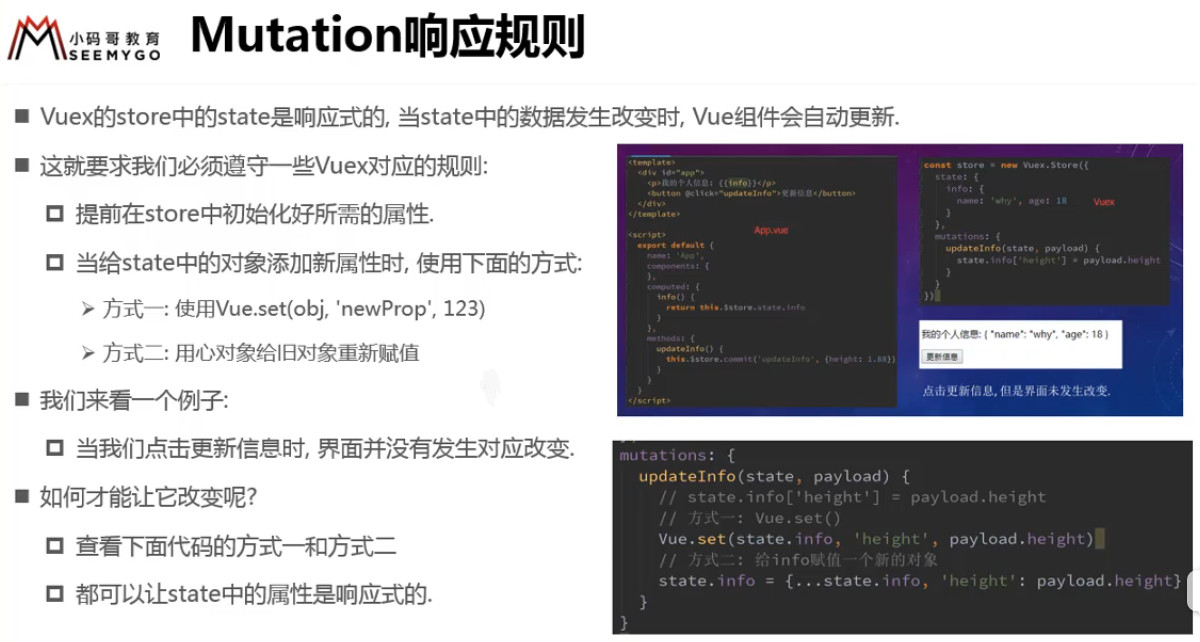
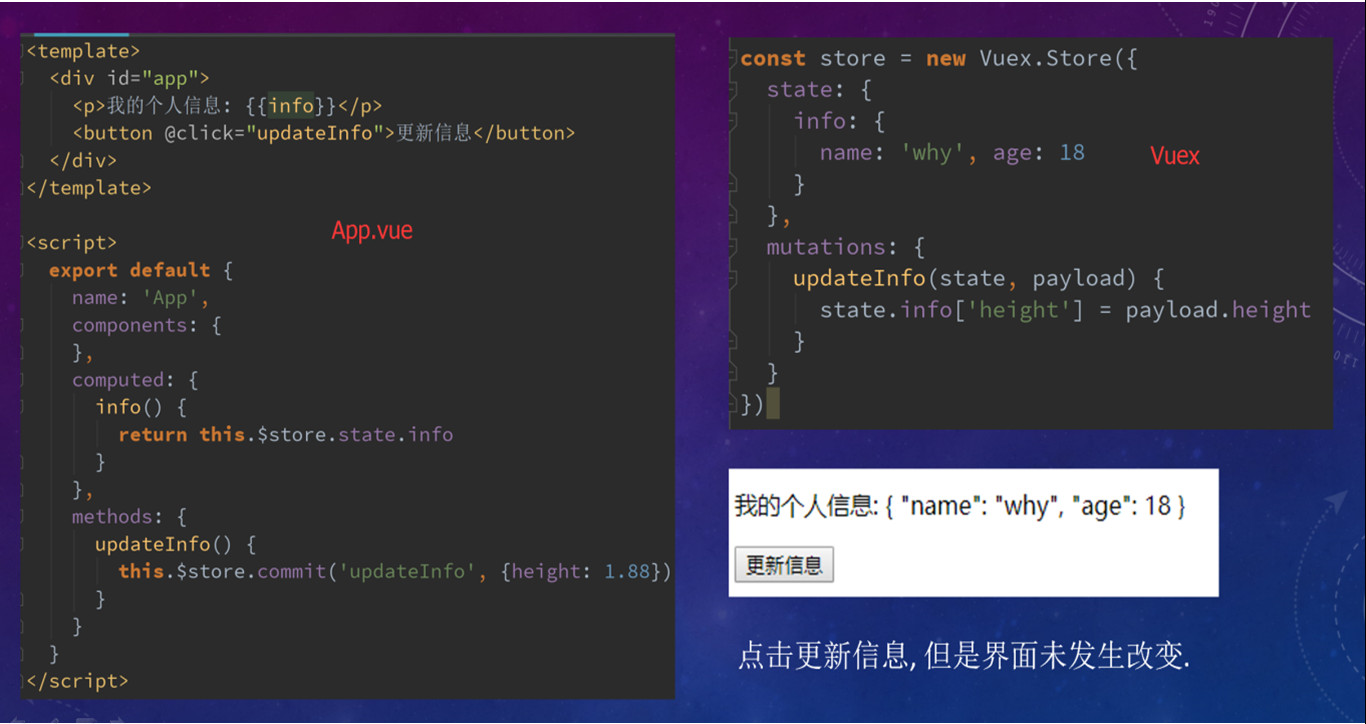
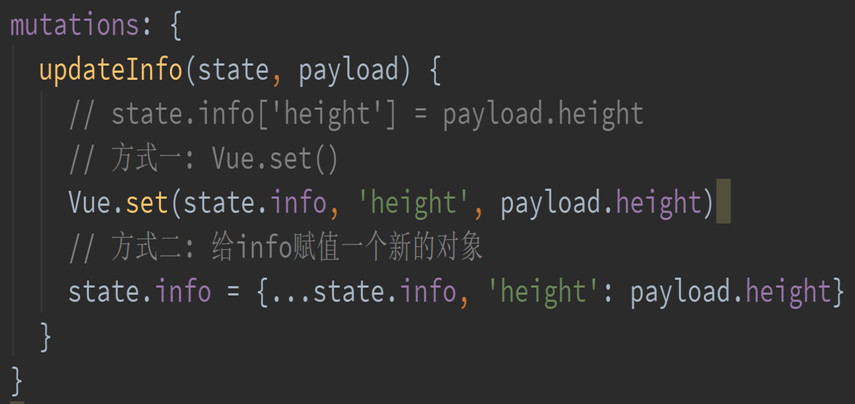
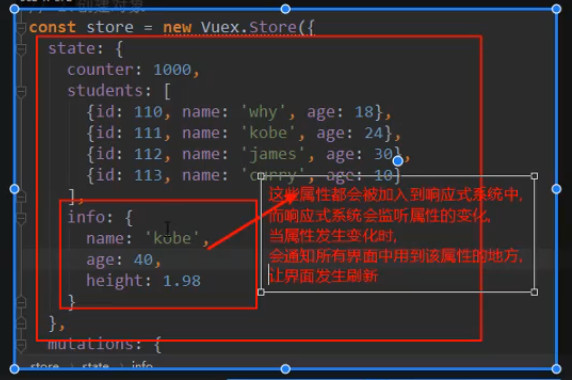
删除的响应式
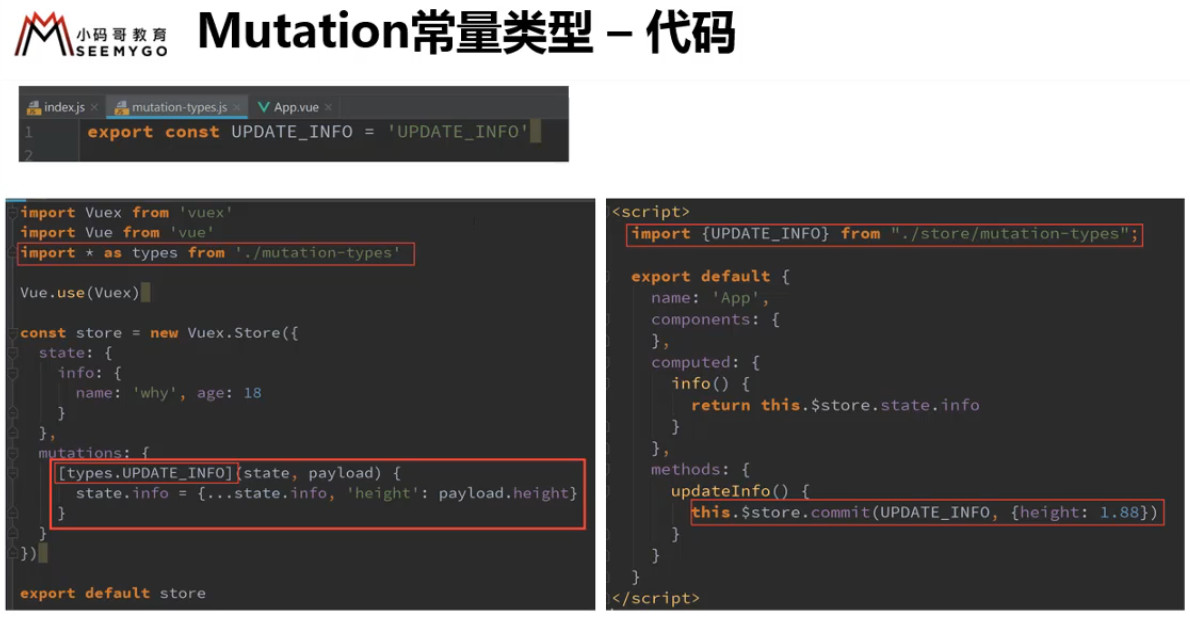
# mutations 常量
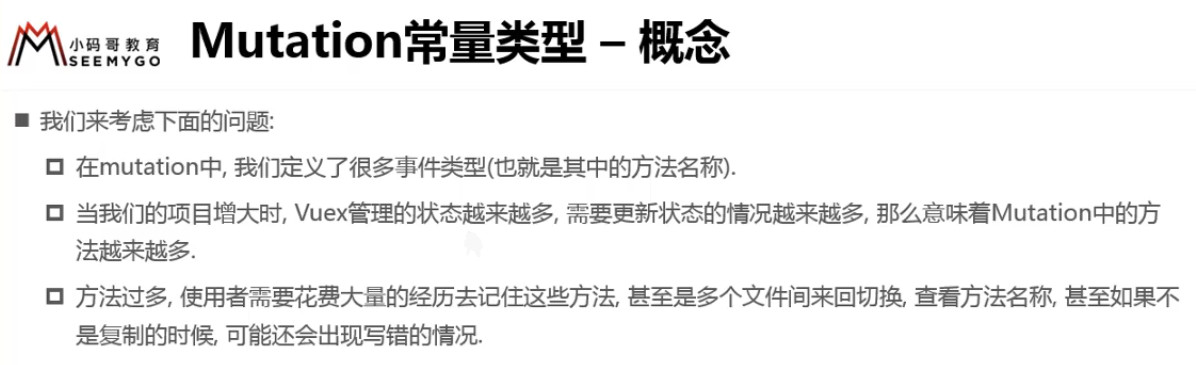
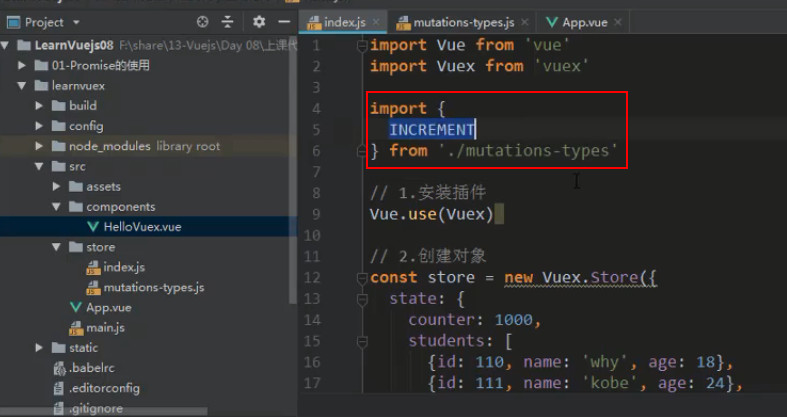
例如下列代码定义了很多方法
![3 [34].jpg](https://cdn.nlark.com/yuque/0/2022/jpeg/1614731/1653726854635-7781fc16-0f1a-4d30-926c-35ded56b4884.jpeg)
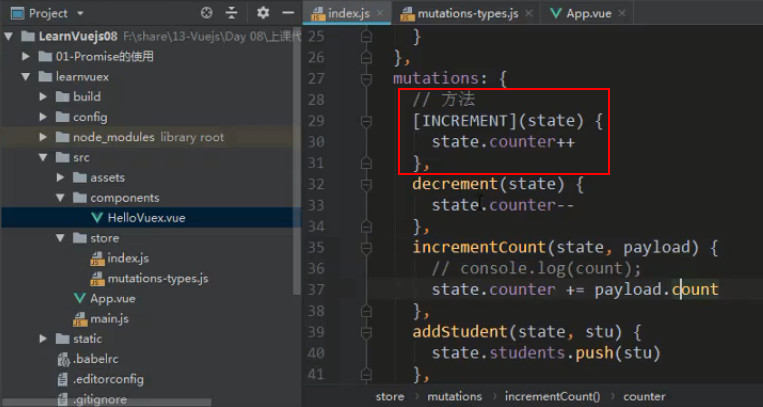
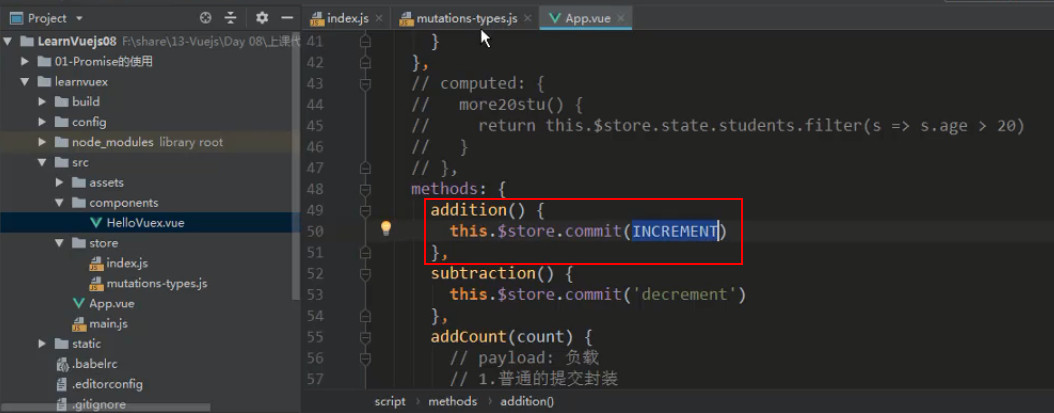
在 commit 时写方法名往往容易出错
![3 [35].jpg](https://cdn.nlark.com/yuque/0/2022/jpeg/1614731/1653726854928-66179f52-0267-4ba0-bea1-e62b66bbfc4b.jpeg)
如果 mutations-type.js 里常量 INCREMENT 的值 'increment '是错的,也不会影响 mutations
![3 [36].jpg](https://cdn.nlark.com/yuque/0/2022/jpeg/1614731/1653726855117-1bebfe85-6331-4668-b919-3404160fee58.jpeg)
# mutations 同步函数
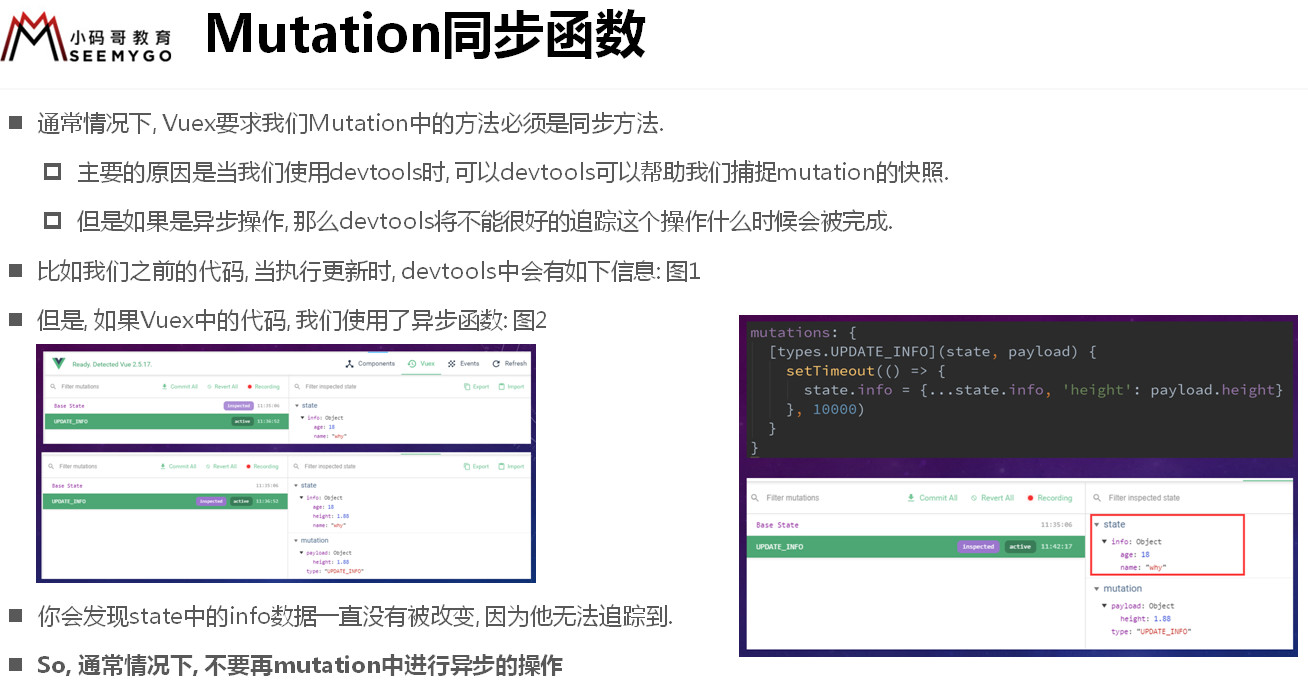
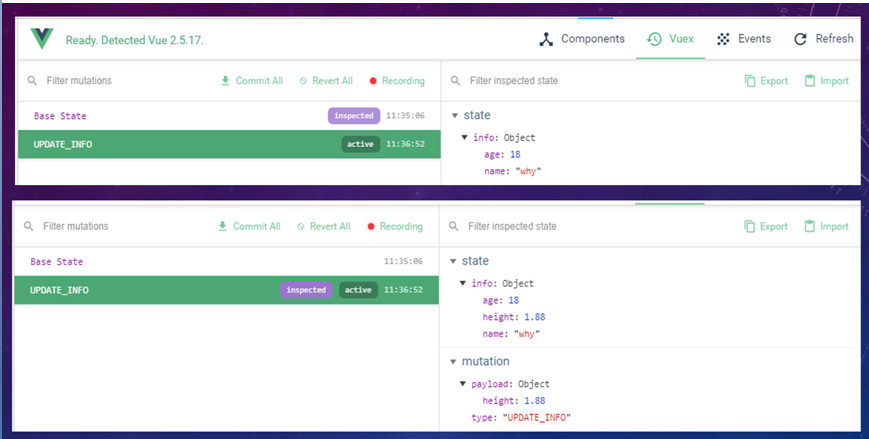
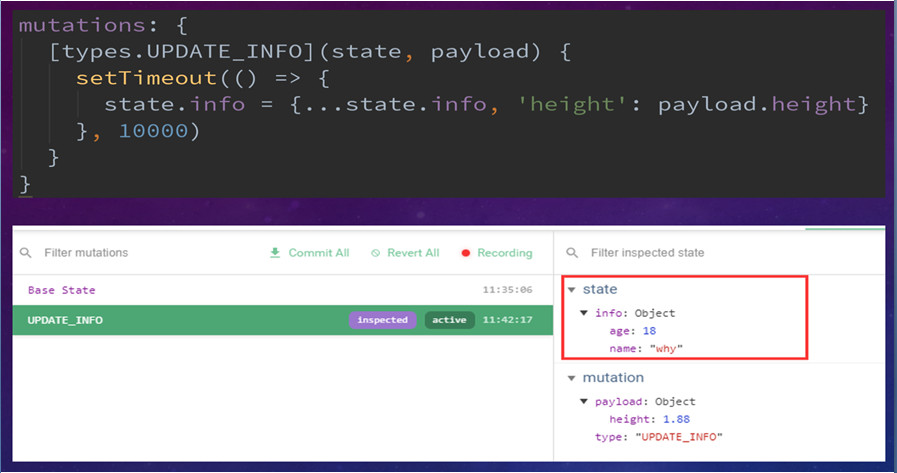
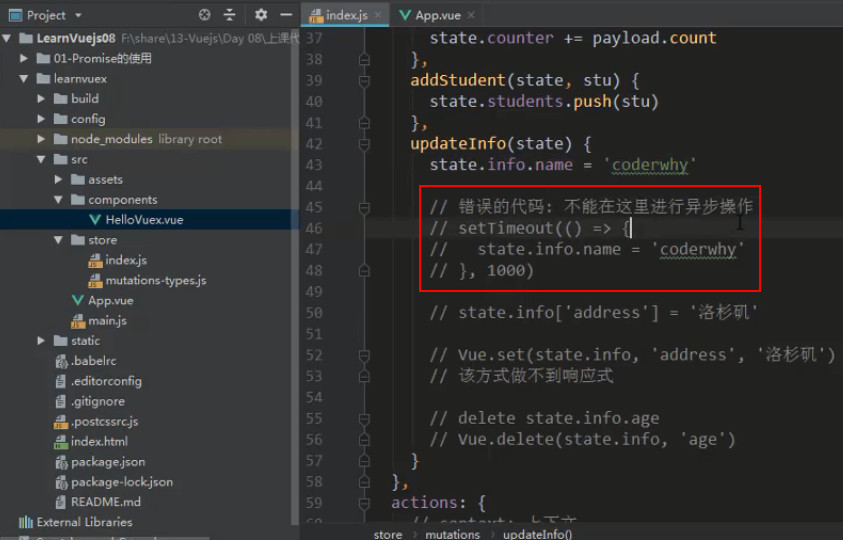
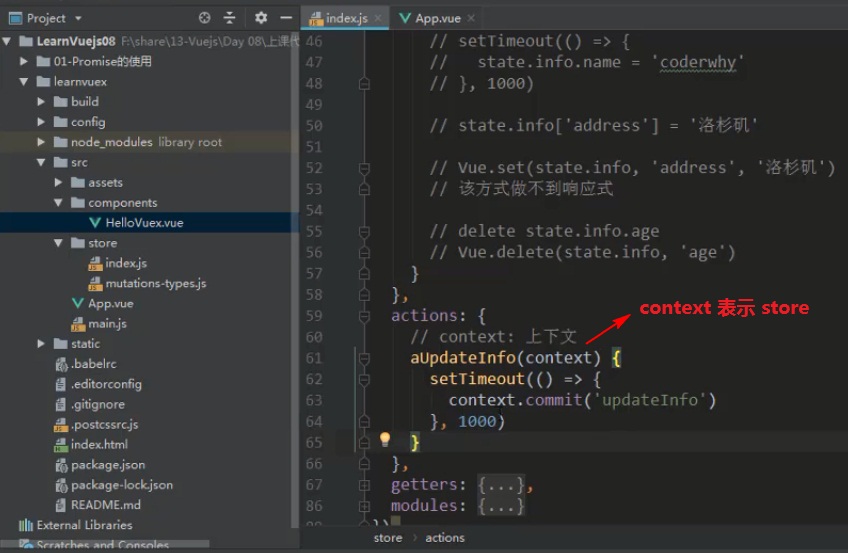
如果要进行异步操作,必须:
# action 的使用详解
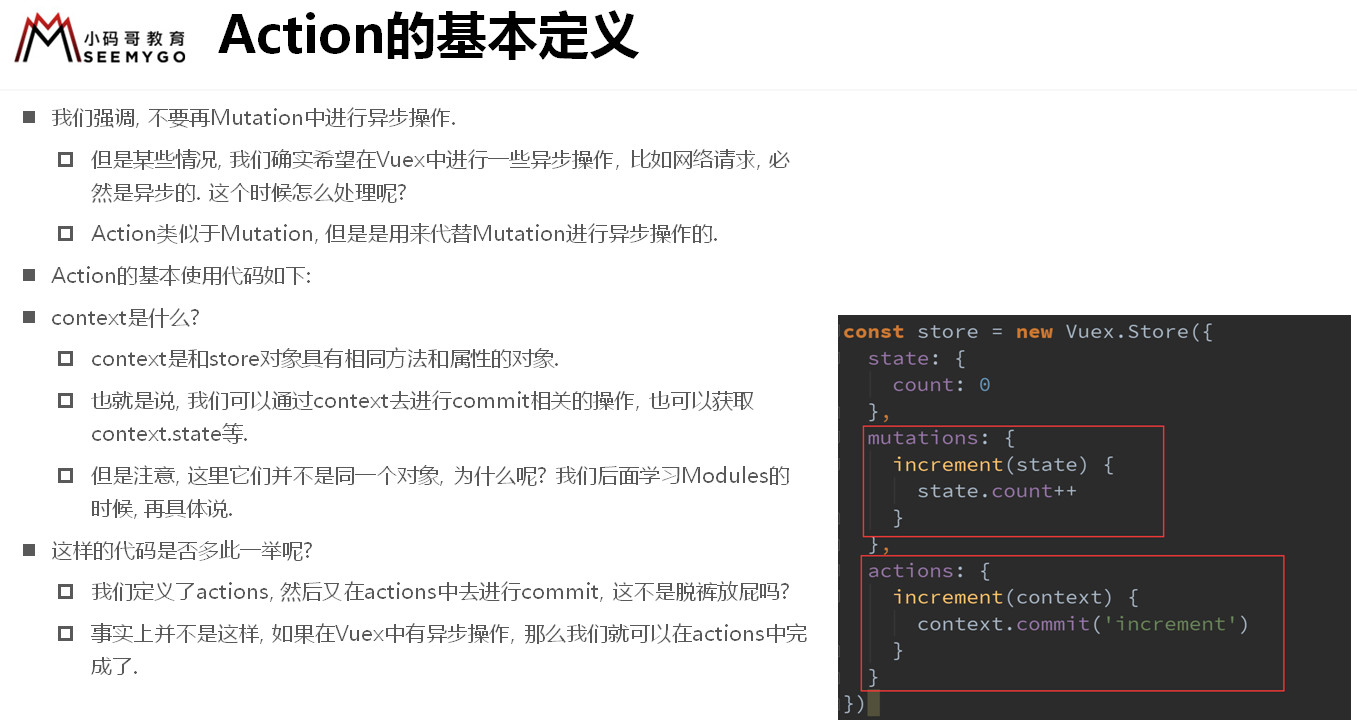
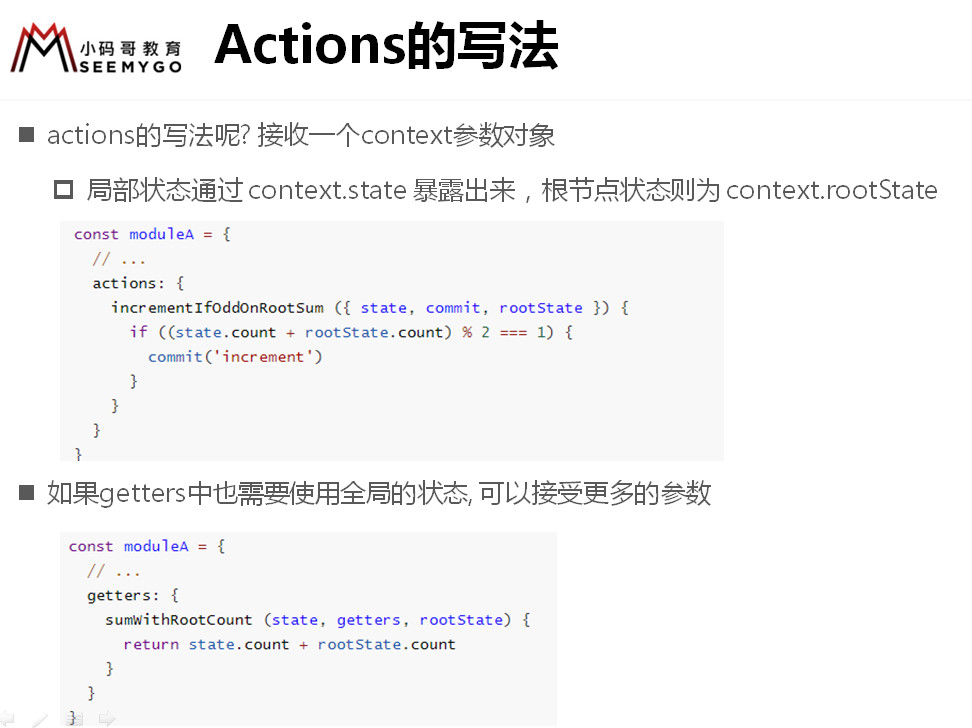
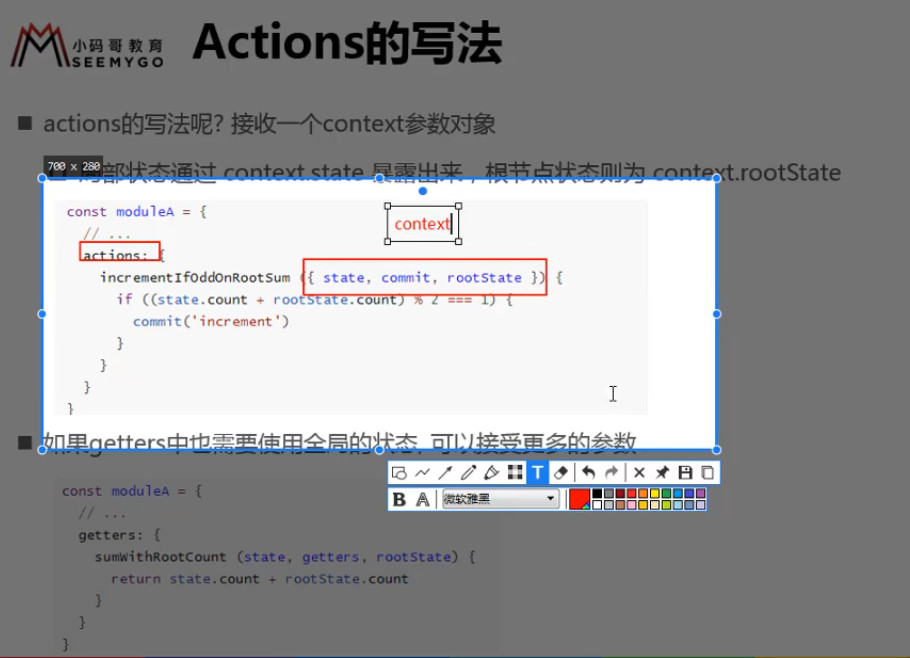
actions 的 函数接受一个与 store 实例具有相同方法和属性的 context 对象,
因此你可以调用 context.commit 提交一个 mutation,
或者通过 context.state 和 context.getters 来获取 state 和 getters。
context 对象其实不是 store 实例本身,当介绍到 Modules 时,你就知道了 。
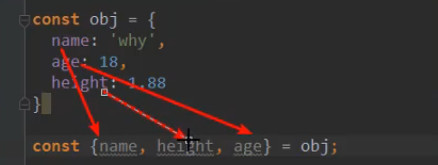
实践中,我们会经常用到 ES2015 的 参数解构 来简化代码,(特别是我们需要调用 commit 很多次的时候,可以少写点代码):
因为 context 是对象,所以可以解构成 {commit}
actions: {
  increment ({ commit }) {
    commit('increment')
  }
}
2
3
4
5
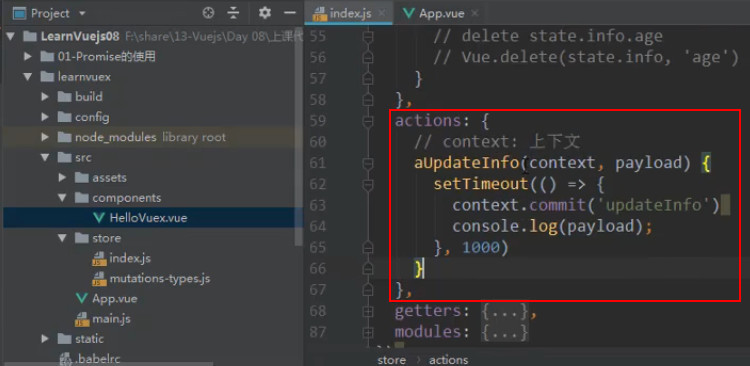
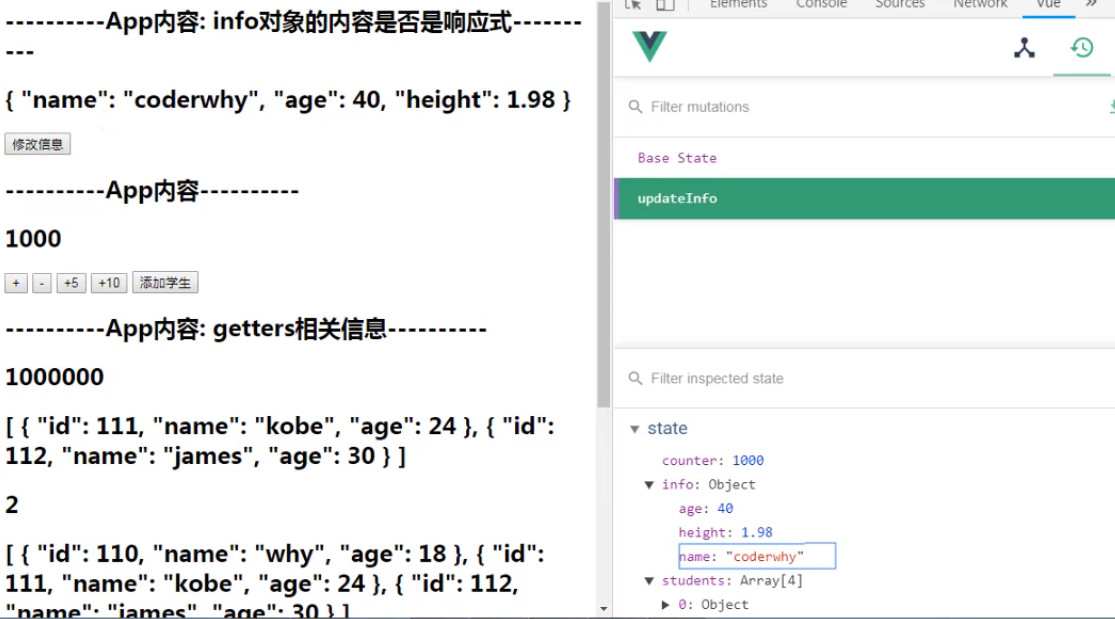
# 异步操作完成时发送通知信息
第一种写法
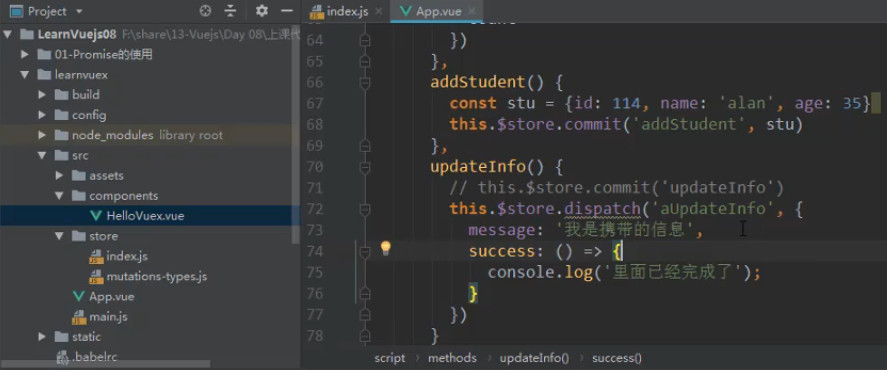
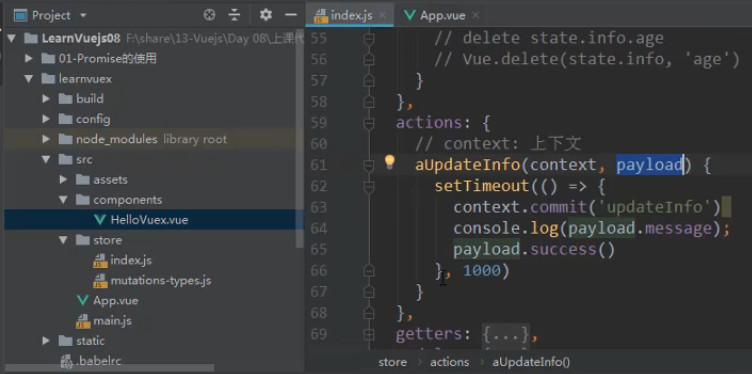
第二种写法
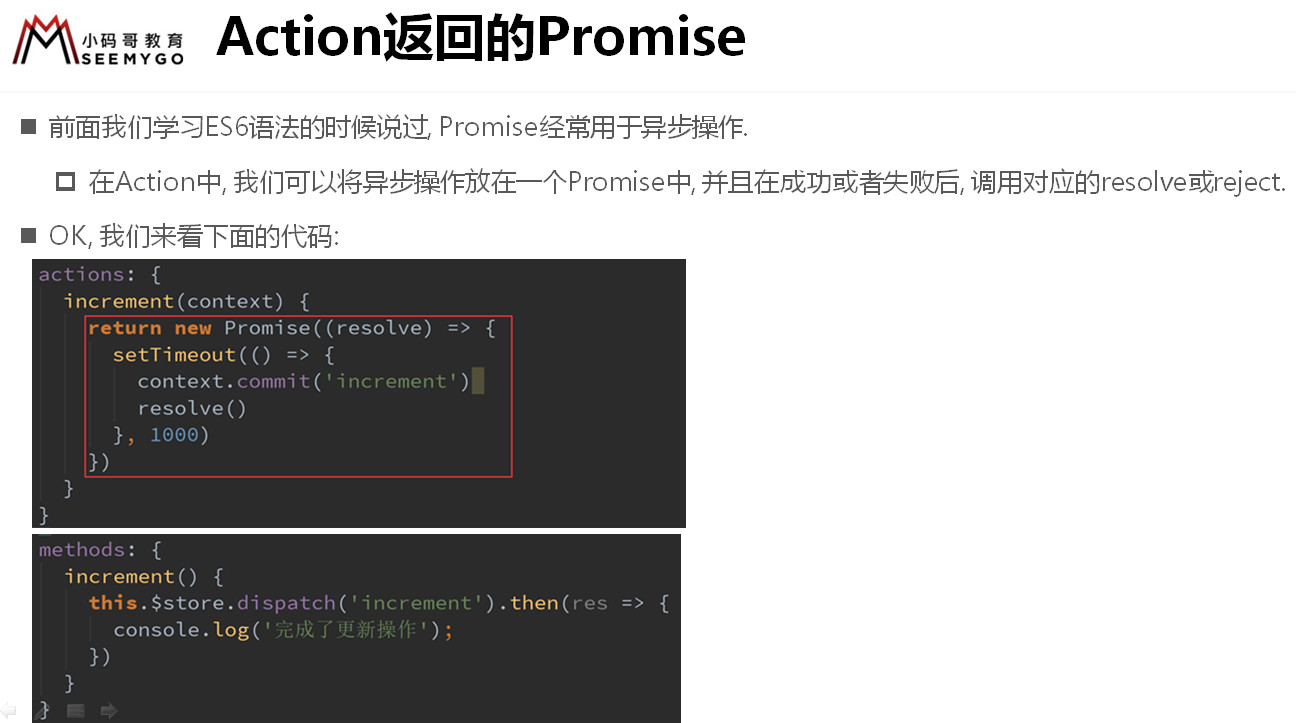
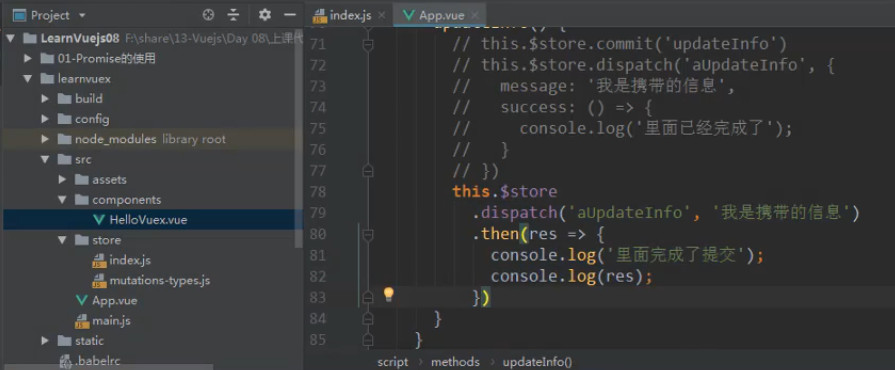
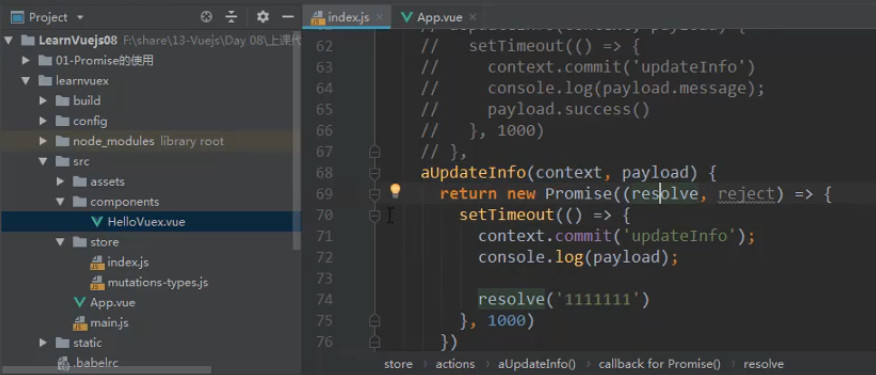
# 实际应用
1、提取一个 store 对象,保存多个组件共享的状态
src\store\index.js
import Vue from 'vue'
import Vuex from 'vuex'
import mutations from './mutations';
import actions from './actions';
import getters from './getters';

Vue.use(Vuex)

const state = {
  cartList: []
};

const store = new Vuex.Store({
  state,
  mutations,
  actions,
  getters,
  modules: {}
});

export default store
2
3
4
5
6
7
8
9
10
11
12
13
14
15
16
17
18
19
20
21
src\store\mutations-type.js
export const ADD_COUNTER = 'addCounter';
export const ADD_TO_CART = 'addToCart';
2
src\store\mutations.js
import {ADD_COUNTER, ADD_TO_CART} from './mutations-type'

export default {
  [ADD_COUNTER](state, payload) {
    payload.count++;
  },
  [ADD_TO_CART](state, payload) {
    payload.checked = true;
    state.cartList.push(payload);
  }
};
2
3
4
5
6
7
8
9
10
11
src\store\actions.js
import { ADD_COUNTER, ADD_TO_CART } from "./mutations-type";

export default {
  addCart({ commit, state }, payload) {
    // 查找之前是否有该商品,cartList 中有该商品,就赋值给 oldProduct
    // 之前有该商品就将该商品的数量加 1
    return new Promise((resolve, reject) => {
      let oldProduct = state.cartList.find(item => item.iid === payload.iid);
      if (oldProduct) {
        // oldProduct.count += 1;
        commit(ADD_COUNTER, oldProduct);
        resolve('当前商品数量+1')
      }
      // 之前没有该商品就该商品的数量设置为 1 并添加到购物车
      else {
        payload.count = 1;
        // state.cartList.push(payload);
        commit(ADD_TO_CART, payload);
        resolve('添加了新的商品')
      }
    })
  }
}
2
3
4
5
6
7
8
9
10
11
12
13
14
15
16
17
18
19
20
21
22
23
2、引入并挂载到全局的 Vue 实例下
src\main.js
import Vue from 'vue'
import App from './App.vue'
import router from './router'
import store from './store'

import toast from 'common/toast';

Vue.config.devtools = true;
Vue.config.productionTip = false;

new Vue({
  router,
  store, // 把 store 对象添加到 vue 实例上
  render: h => h(App)
}).$mount('#app')
2
3
4
5
6
7
8
9
10
11
12
13
14
15
src\views\detail\Detail.vue
<template>
  <div id="detail">
    <detail-bottom-bar @addToCart="addToCart"></detail-bottom-bar>
  </div>
</template>

<script>
  import DetailBottomBar from './childCpns/DetailBottomBar';
  import{mapActions} from 'vuex';

  export default {
    name: 'Detail',
    data () {
      return {
        iid: null,
        topImages: [],
        goods: {},
      }
    },
    methods: {
      ...mapActions(['addCart']),
      addToCart() {
        // 获取购物车要展示的商品信息
        const product = {};
        product.image = this.topImages[0];
        product.title = this.goods.title;
        product.desc = this.goods.desc;
        product.price = this.goods.lowNowPrice;
        product.iid = this.iid;
        // 将商品添加到购物车
        // this.$store.dispatch('addCart', product);
        this.addCart(product).then(res => {
          this.$toast(res, 1500)
        })
      }
    },
    components: {
      DetailBottomBar,
    }
  }
</script>
2
3
4
5
6
7
8
9
10
11
12
13
14
15
16
17
18
19
20
21
22
23
24
25
26
27
28
29
30
31
32
33
34
35
36
37
38
39
40
41
3、
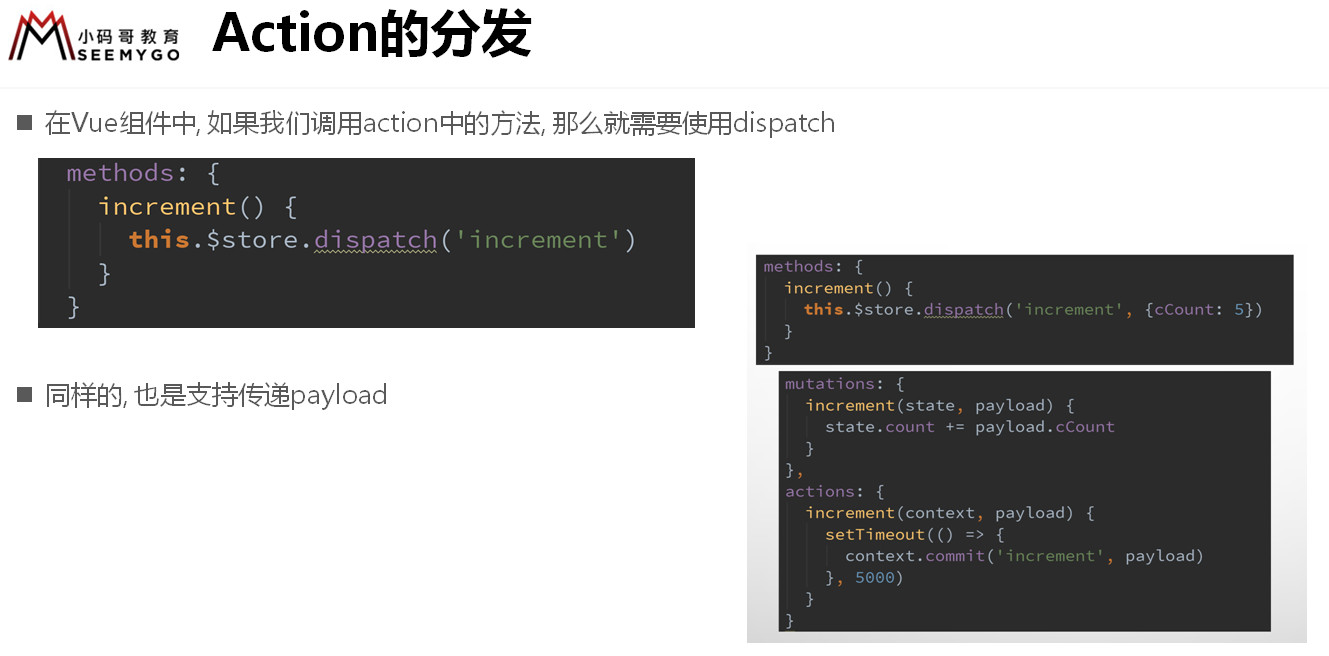
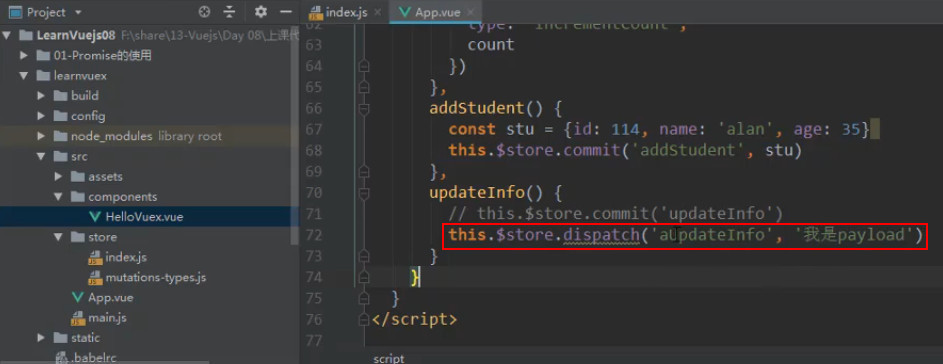
this.$store.dispatch("action 方法", 参数) actions 异步操作(涉及异步时才用) =>
组件 methods 里直接 this.$store.commit(''mutation方法'', 参数)
=> mutation 对应的 方法(state, payload) 修改 state (也可修改 paylaod)
# 总结流程
($store 表示 this.$store,此处省略)
1、state 存储数据 =>
2、getters 的方法(state) 变异数据 =>
3、模板
{{$store.state.xxx}}
展示 getters 后的数据 =>
4、组件 methods 的 $store.diapatch('异步方法', payload) => actions 的异步方法(context, payload) => (这步可省略,需要异步处理时使用)
5、actions 的异步方法 context.commit('同步方法'或常量类型, 参数) (这步也可省略,需要异步处理时使用)
或 组件 methods 的 $store.commit('同步方法'或常量类型, 参数) =>
6、mutations 的同步方法 [常量类型对象的方法名](state, 参数) => 修改 state
7、getters 变异数据 => 模板
{{$store.state.xxx}}
展示 getters 后数据 => ...
# module 的使用详解
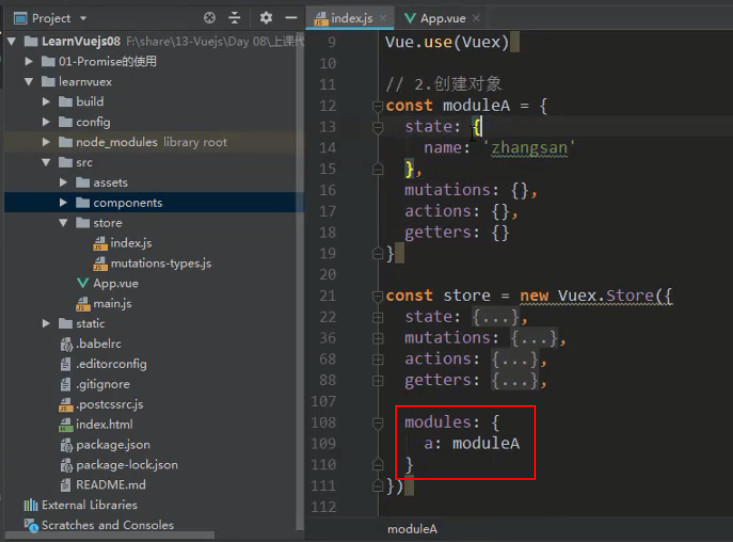
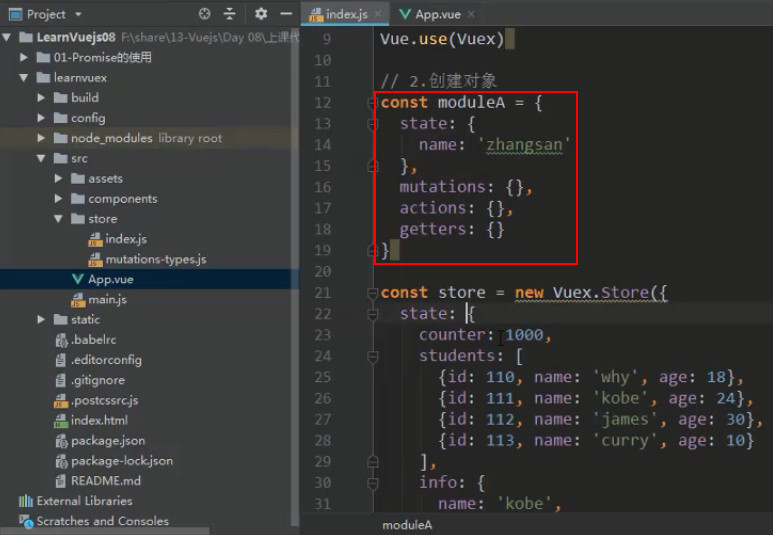
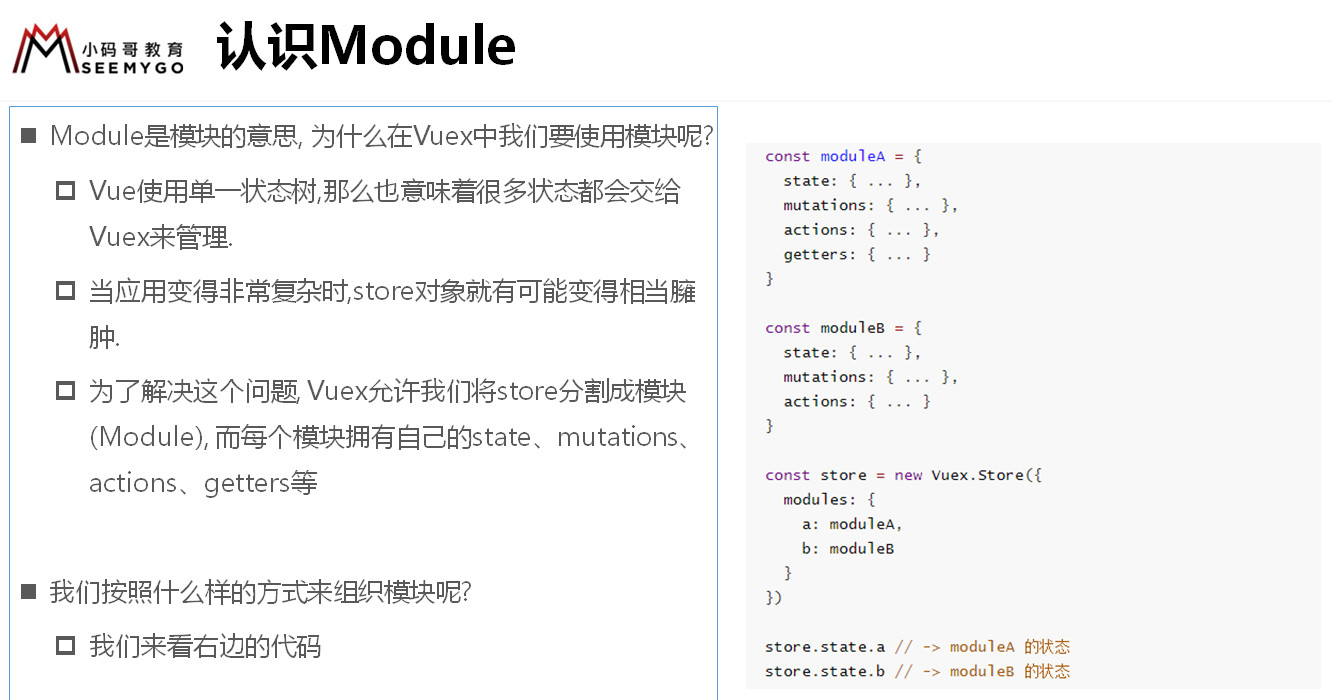
由于只能使用单一状态树的 store,不能定义多个 state、mutations、actions、getters,所以还提供了另一个方案 —— modules
第一种方式
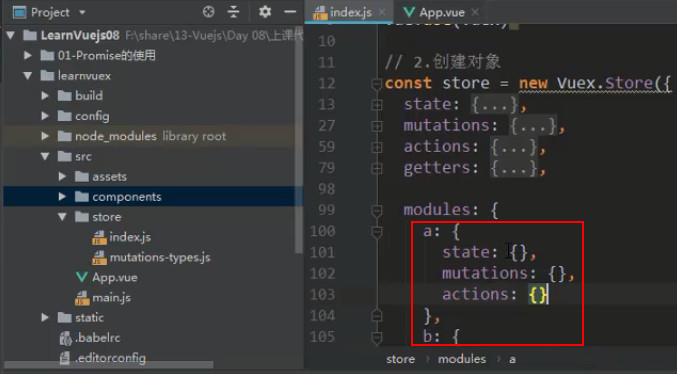
第二种方式
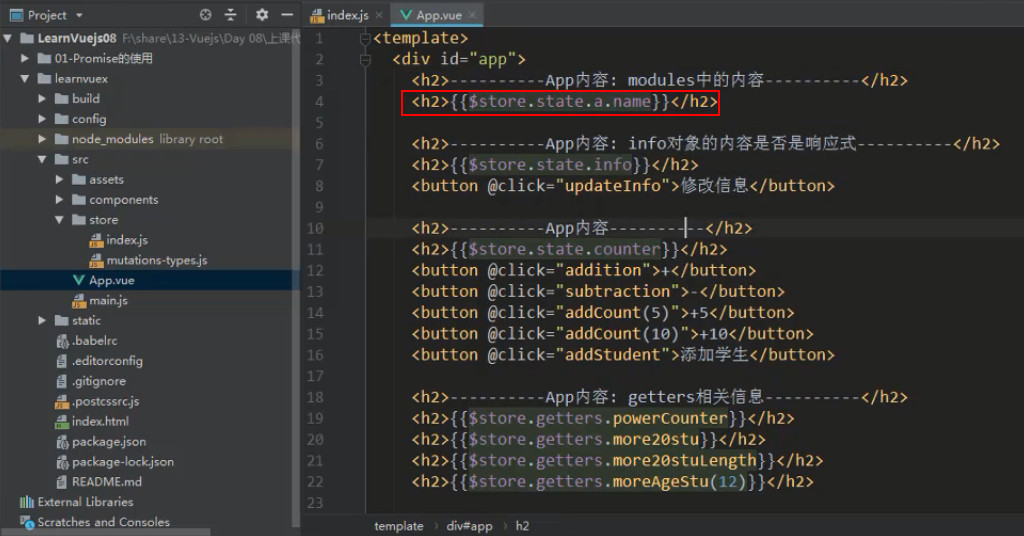
模块的 state
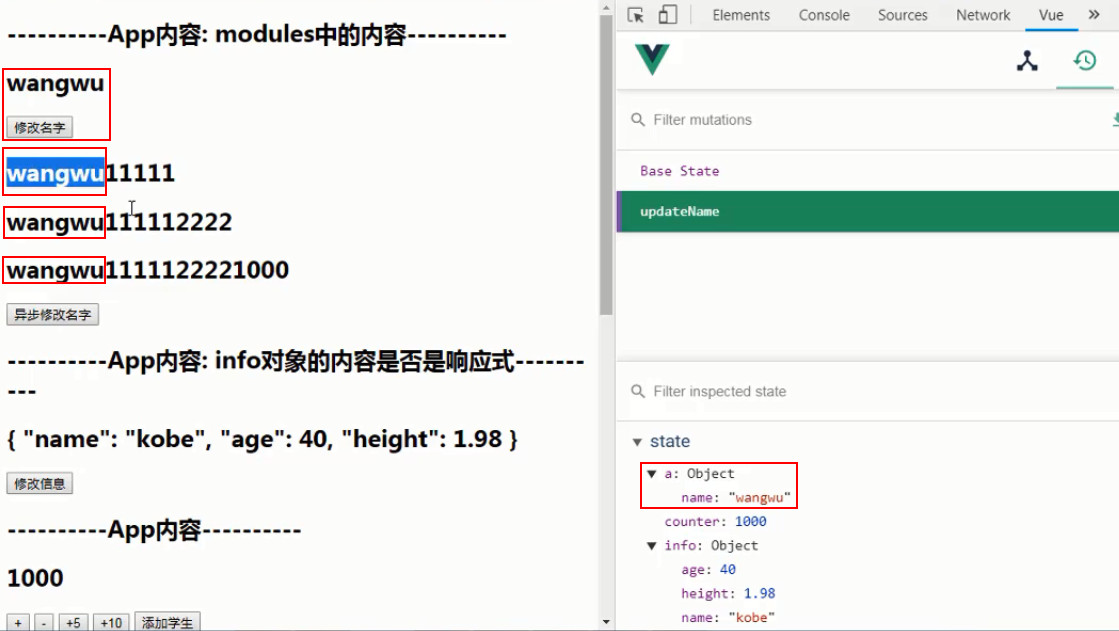
![3 [60].jpg](https://cdn.nlark.com/yuque/0/2022/jpeg/1614731/1653726862143-b8dec7cf-aa58-40bc-b14c-a1b7f288bd70.jpeg?x-oss-process=image%2Fresize%2Cw_1022%2Climit_0)
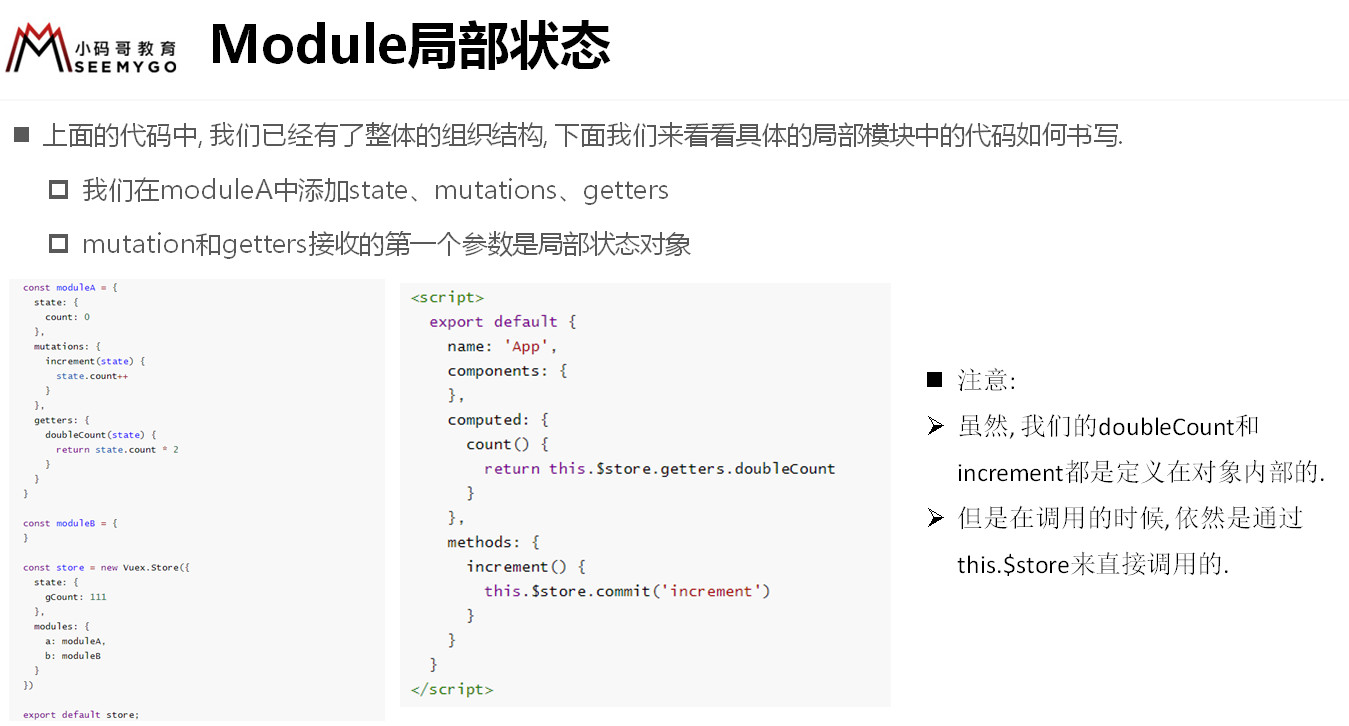
# 模块的 mutations
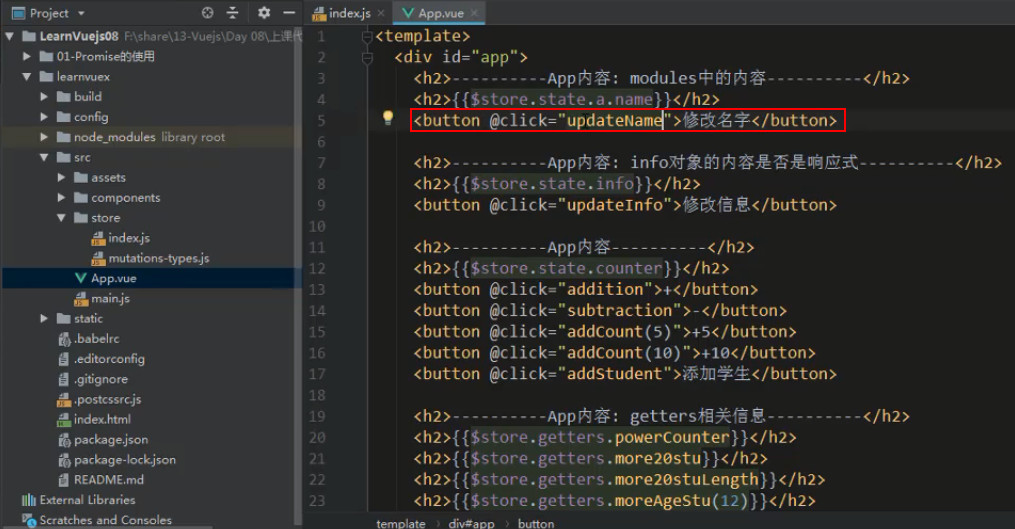
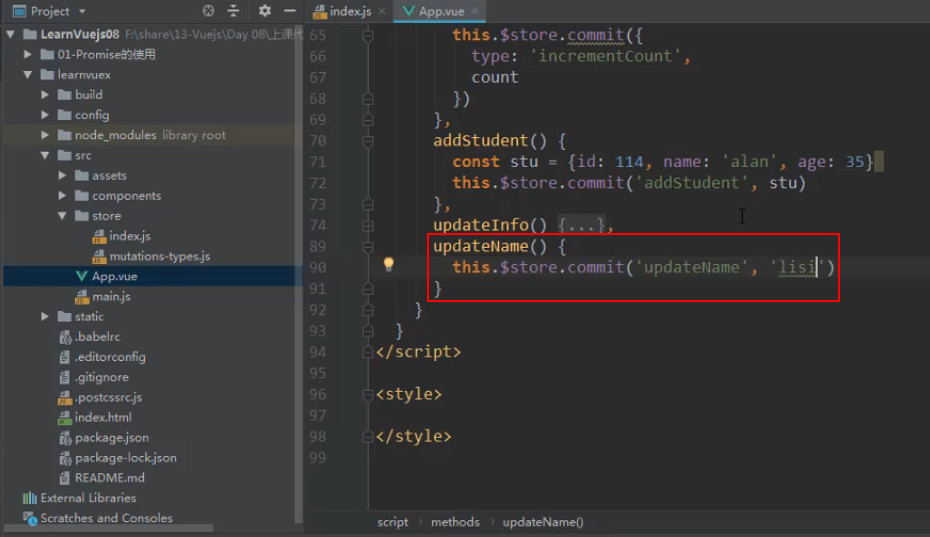
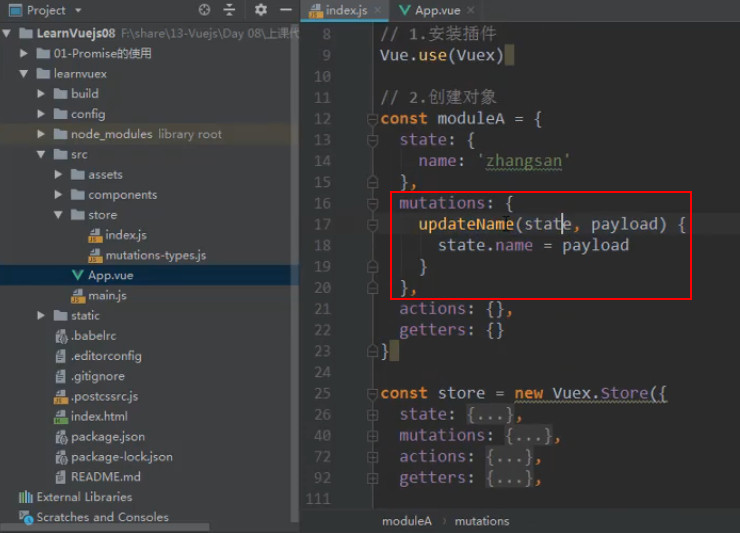
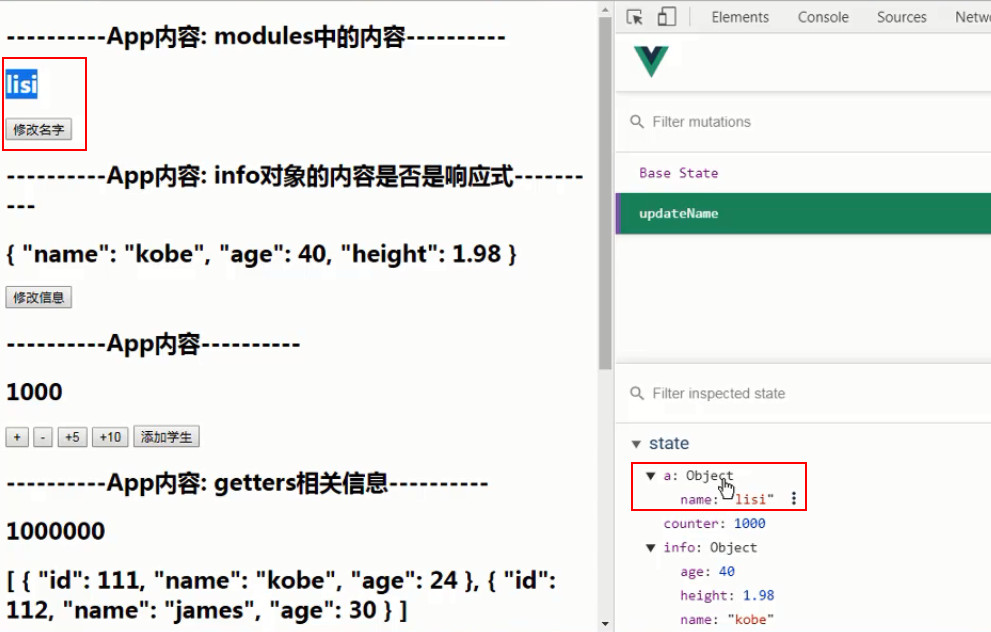
模块的 mutations 不能有与 new Vue.Store 的 mutaions 同名的情况,
this.store.commit('updateName', 'lisi') 时,
会优先在 new Vuex.Store 的 mutaions 找有没有 updateName 函数,没有的话,就会去模块的 mutations 中找
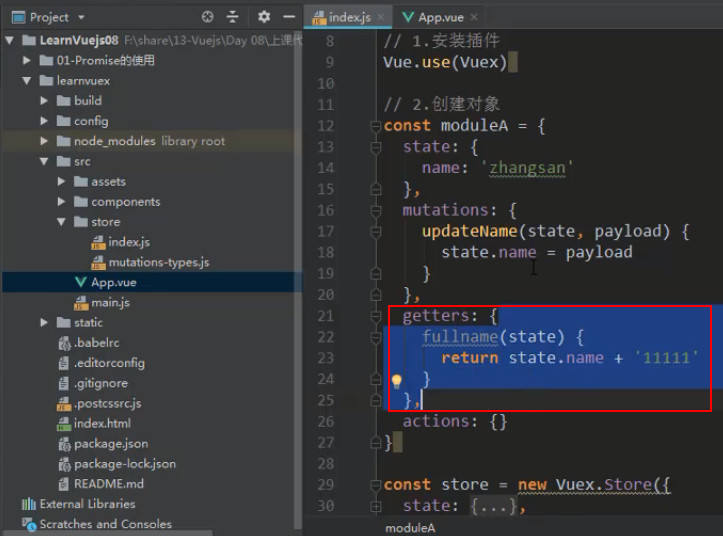
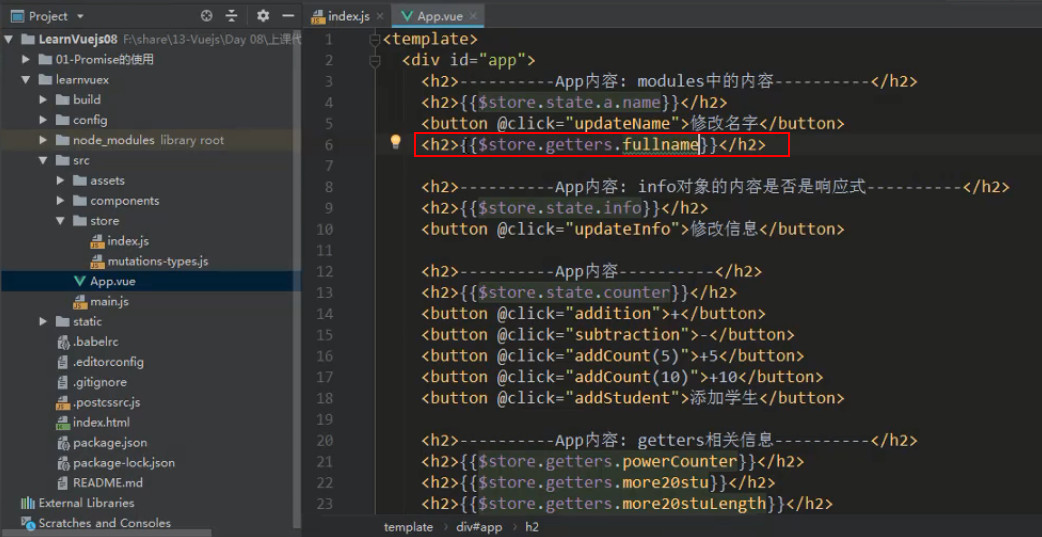
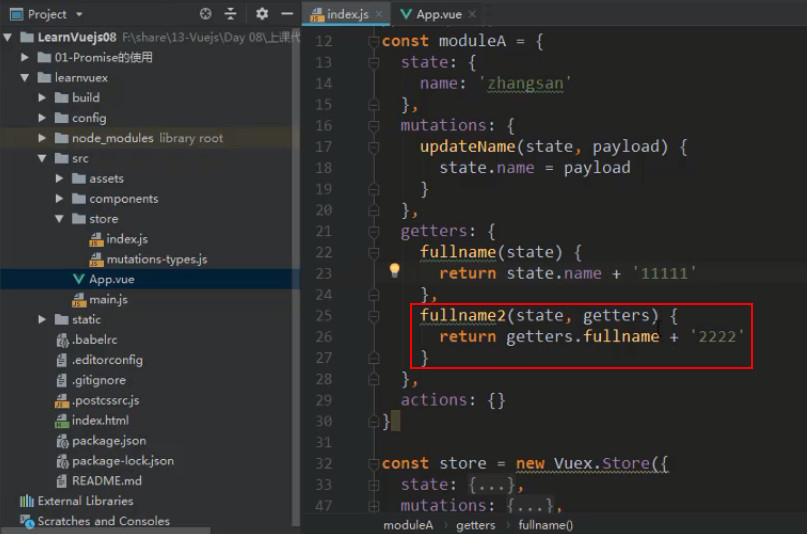
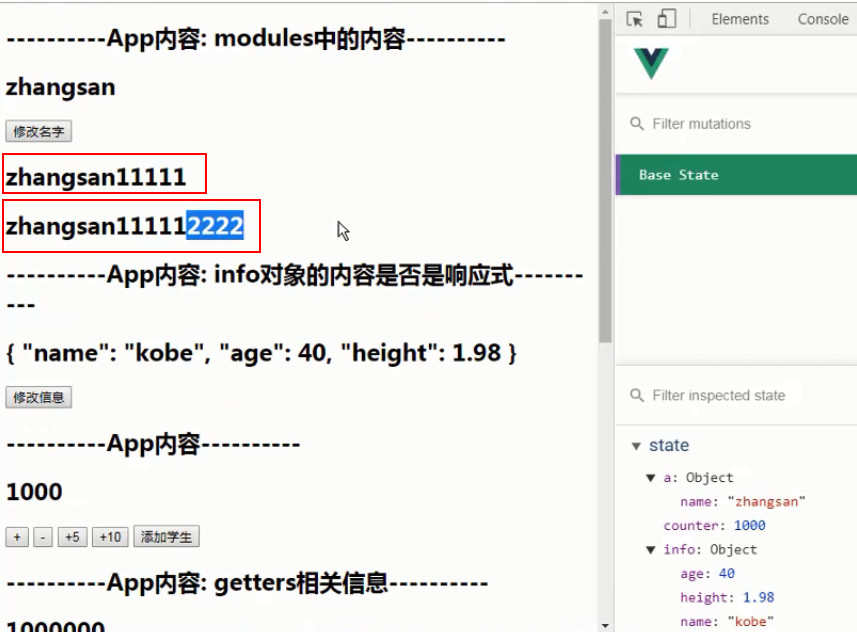
# 模块的 getters
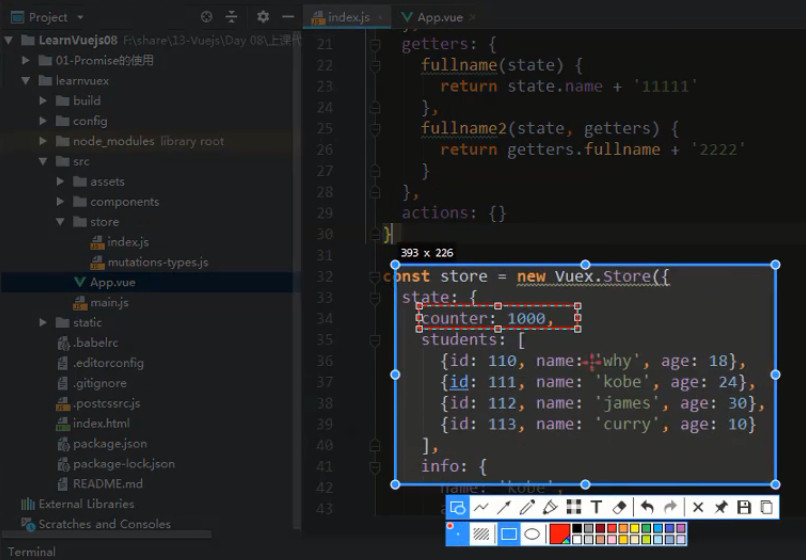
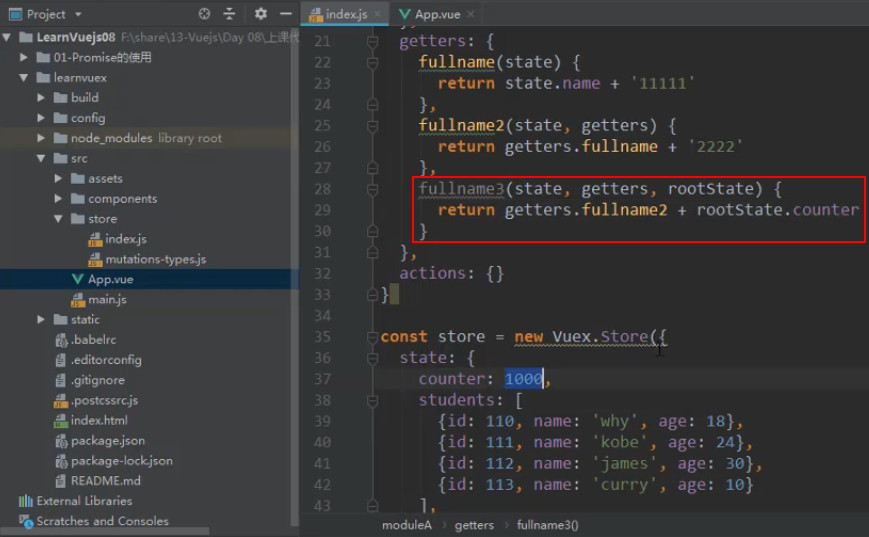
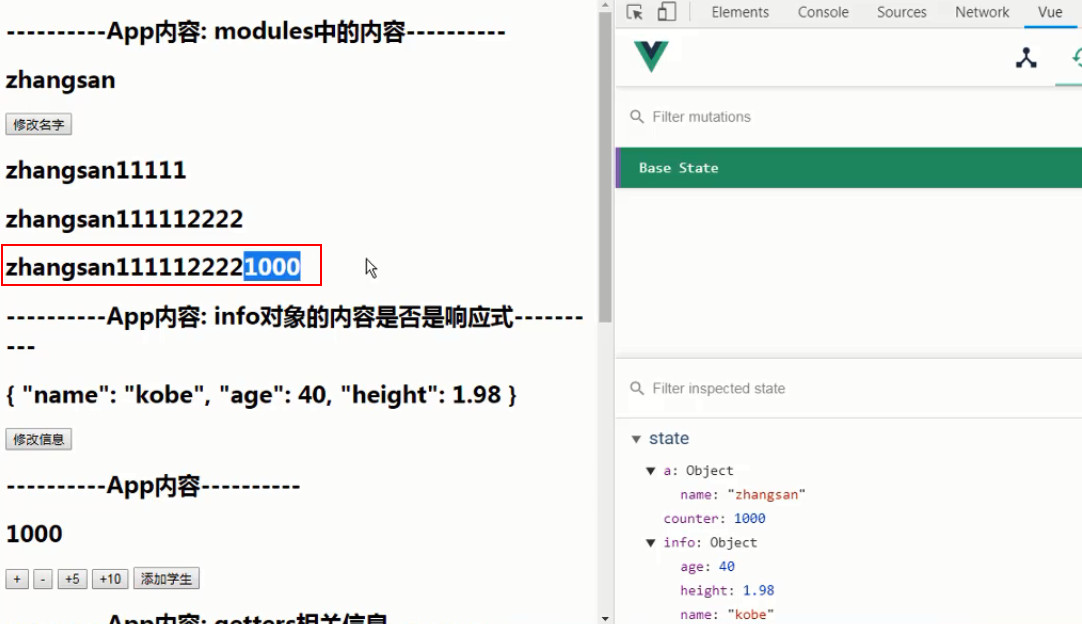
# 拼接 store 的 counter
# 模块 actions
模块 actions 的 context 表示该模块 (module),commit 针对的是该模块的 mutations
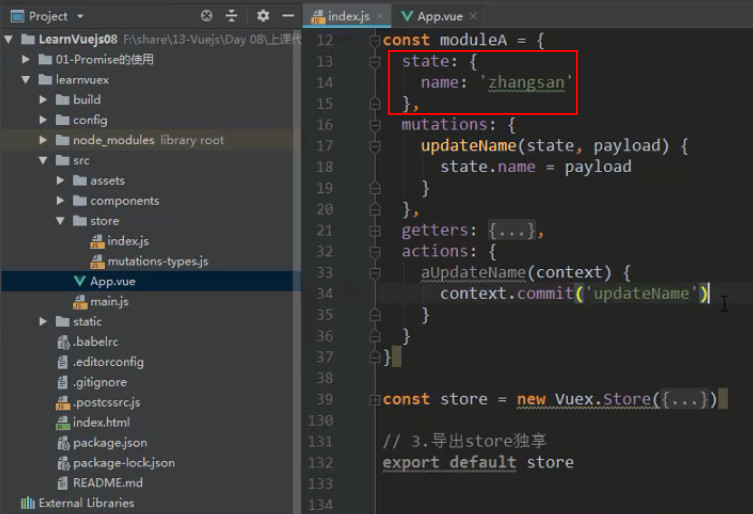
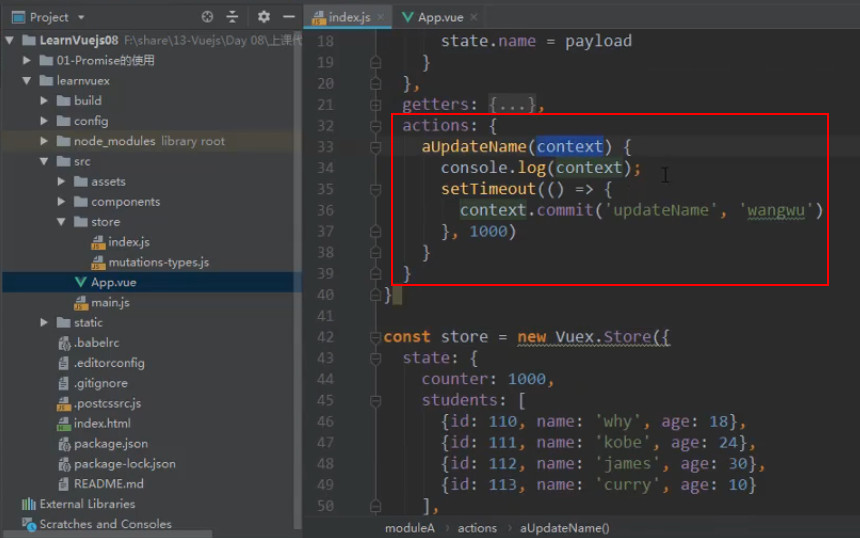
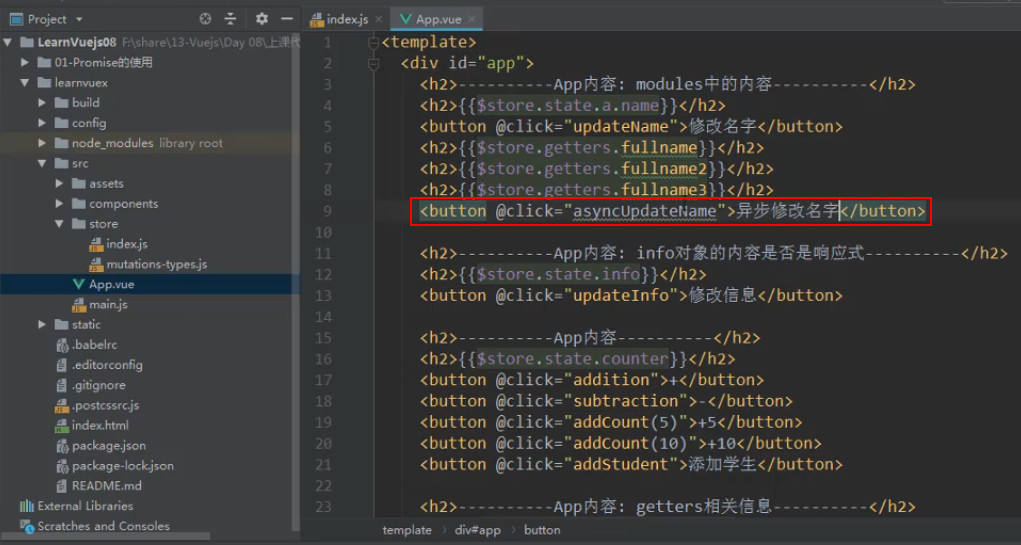
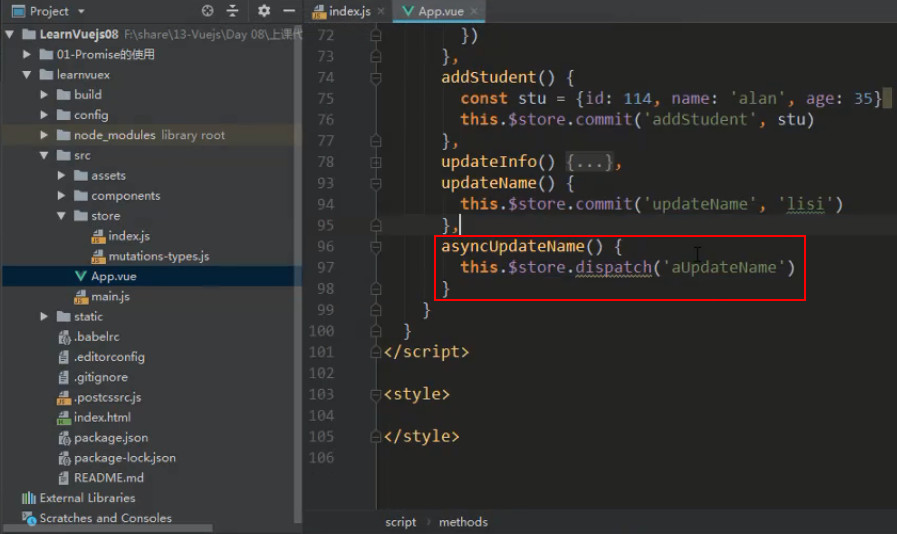
对象的解构
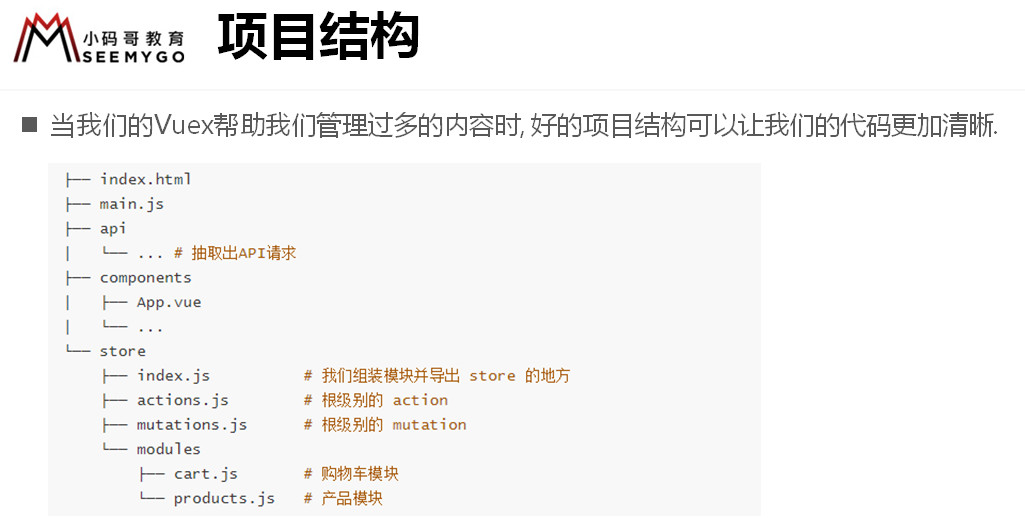
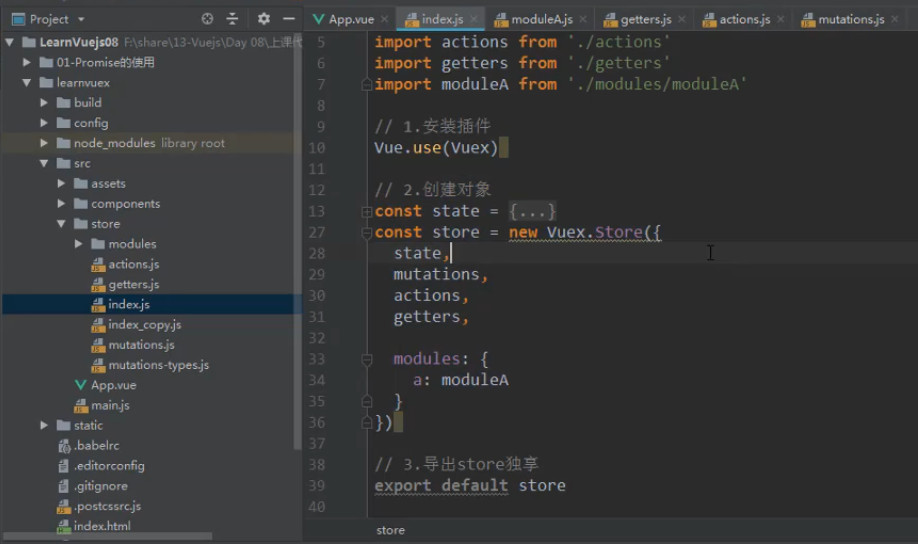
# store 文件夹的目录组织
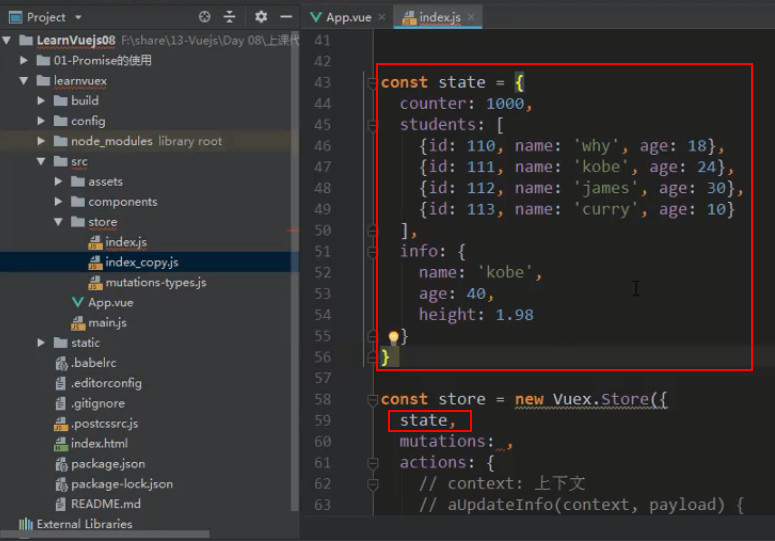
# 抽离 state
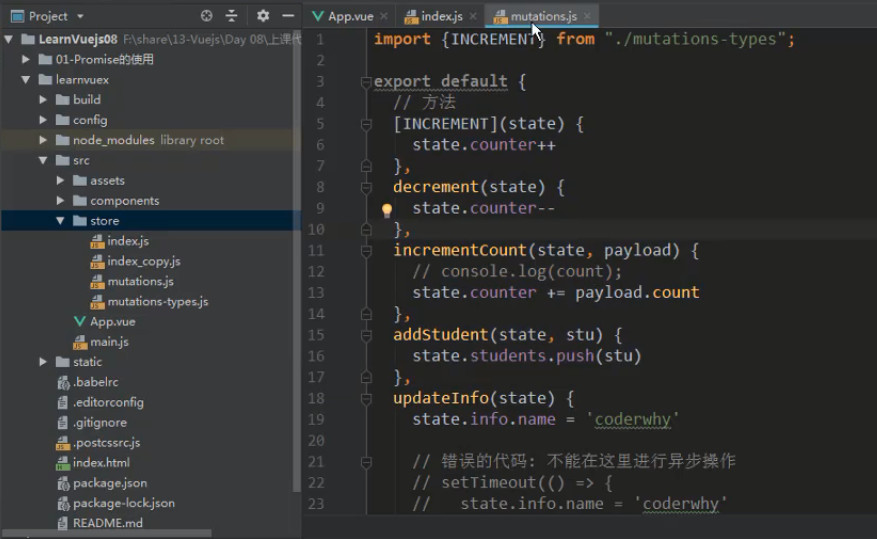
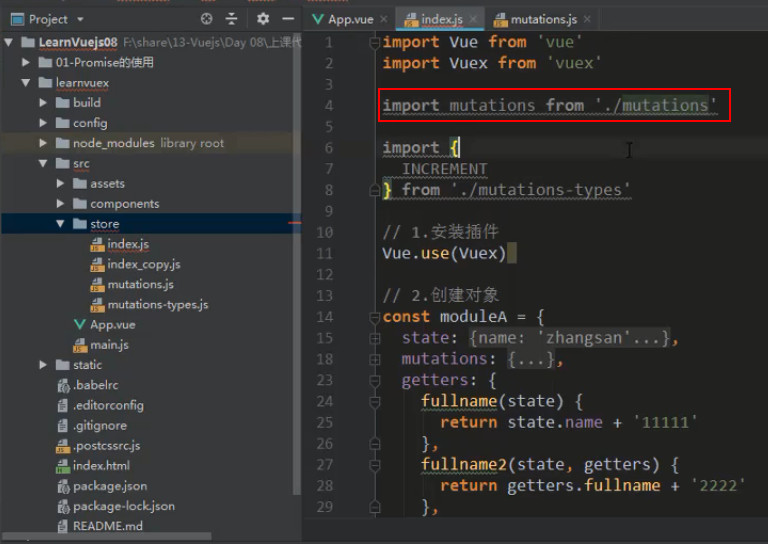
# 抽离 mutations(需要再创建一个文件)
![3 [86].jpg](https://cdn.nlark.com/yuque/0/2022/jpeg/1614731/1653726870202-efc14d7f-6865-48a2-a778-88c82f7592b4.jpeg)
# 抽离 actions 和 getters
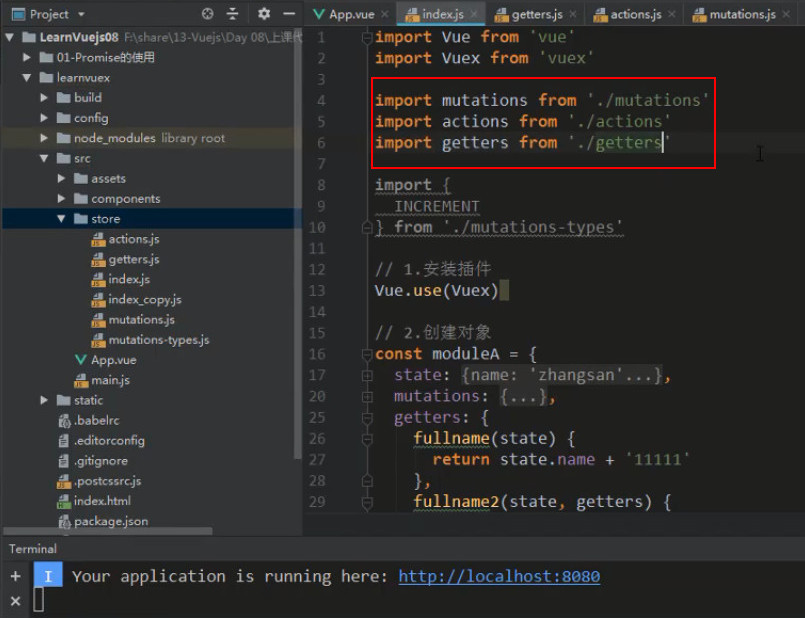
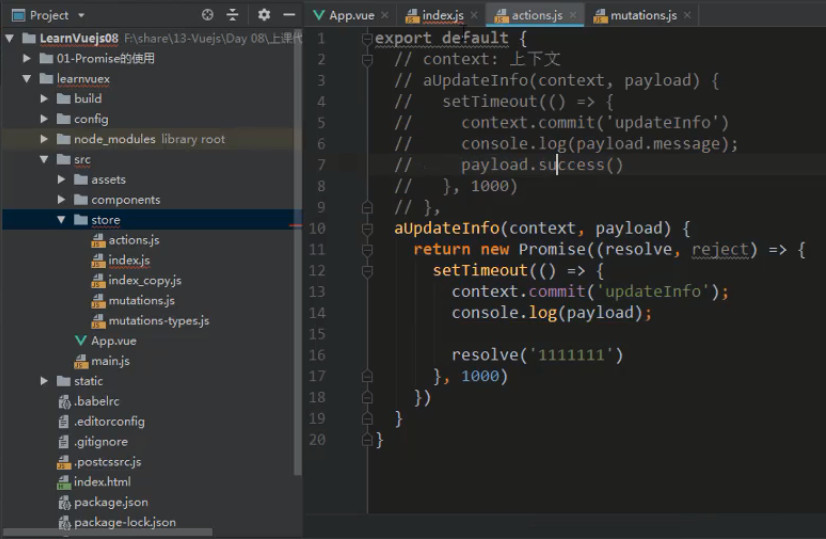
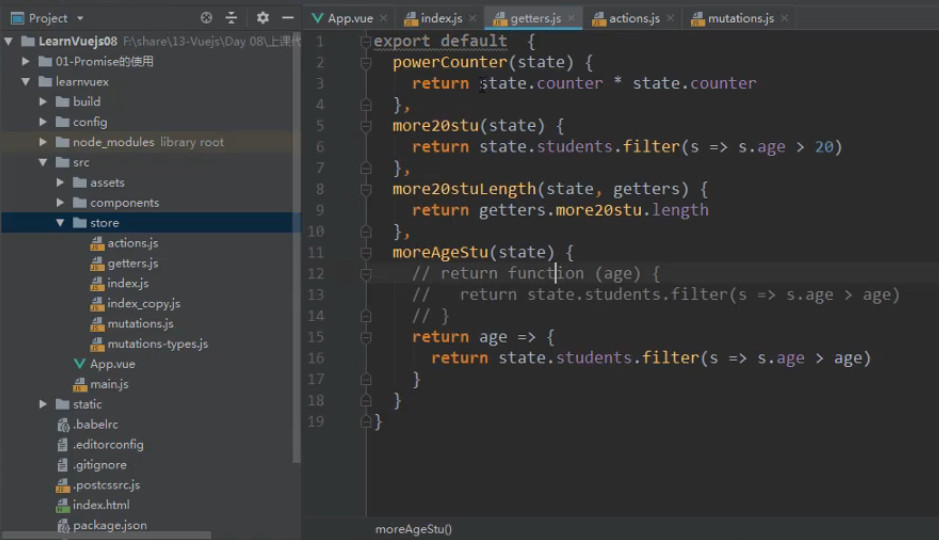
# 抽离 moduleA
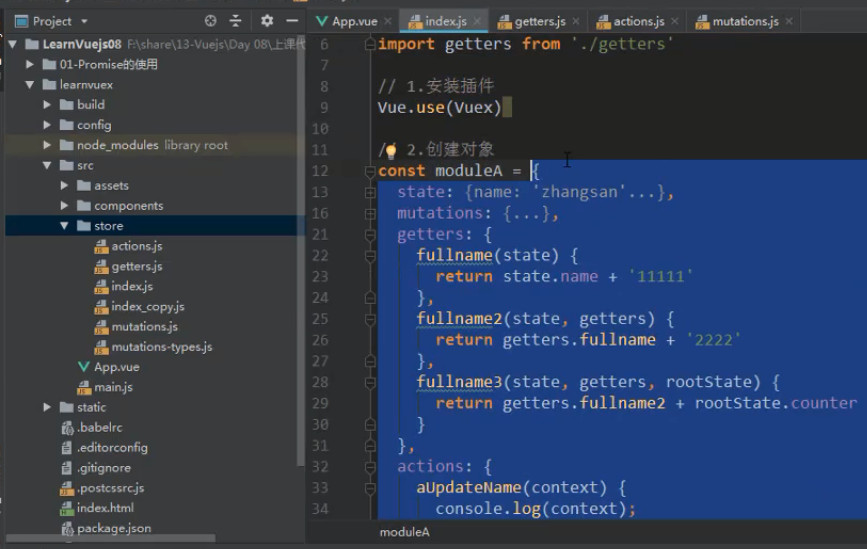
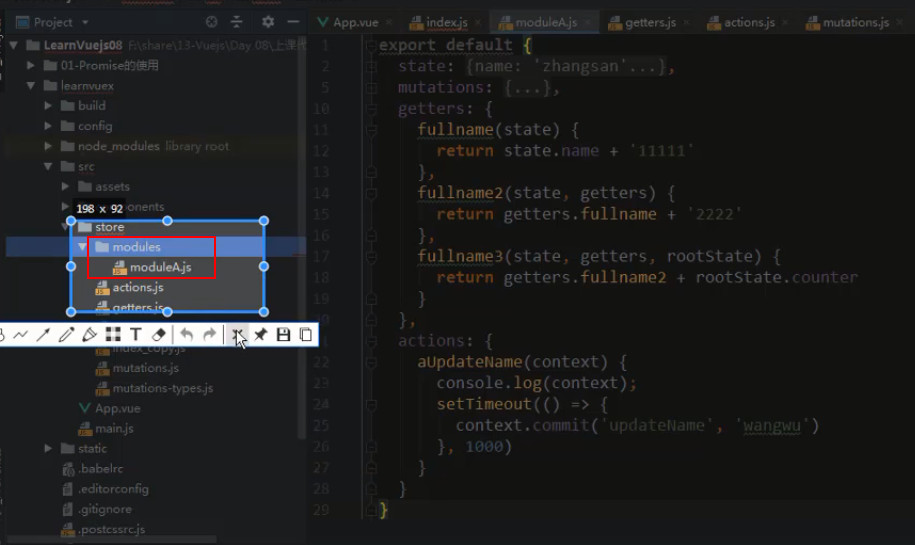
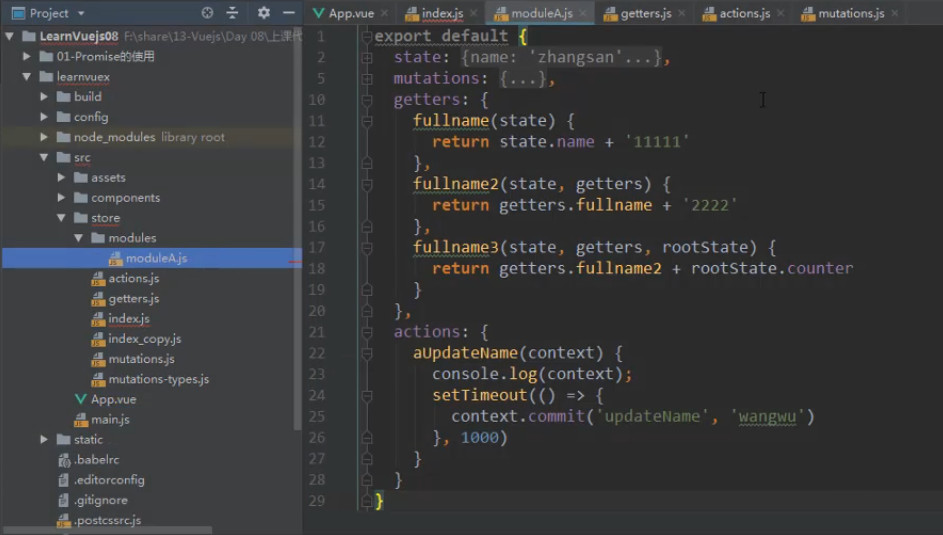
全部抽离之后:
# mapXxx 简化操作
1、每次都写 this.$store.state.XXX 和 this.$store.getters.XXX 很麻烦,
官方建议我们可以使用 mapState 和 mapGetters 解构到计算属性中,就可以直接使用 this 调用
<script>
import { mapState, mapGetters } from 'vuex';
export default {
    mounted() {
        console.log(this.name);
        console.log(this.getMessage);
    },
    computed: {
        ...mapState(['name']),
        ...mapGetters(['getMessage']),
    },
}
</script>
2
3
4
5
6
7
8
9
10
11
12
13
解构的时候可以赋别名
...mapState({ aliasName: 'name' }),  // 赋别名的话,这里接收对象,而不是数组
...mapGetters({ aliasName: 'getMessage' }),  // 赋别名的话,这里接收对象,而不是数组
2
2、可以使用 mapActions 代替 this.$store.dispatch('XXX') 调用 action,把相关的 actions 解构到 methods 中,用 this 直接调用
<script>
import { mapActions } from 'vuex';
export default {
    methods: {
        ...mapActions(['setNum']),   // 就像这样,解构到methods中
    },
    async mounted() {
        await this.setNum({ number: 123 });  // 直接这样调用即可
    },
}
</script>
2
3
4
5
6
7
8
9
10
11
解构的时候可以赋别名
methods: {
  ...mapActions({ setNumAlias: 'setNum' }),   // 赋别名的话,这里接收对象,而不是数组
}
2
3
3、像 mapState 和 mapGetters 一样,我们在组件中可以使用 mapMutations 代替 this.$store.commit('XXX')
<script>
import { mapMutations } from 'vuex';
export default {
    mounted() {
        this.setNumberIsWhat({ number: 999 });
    },
    methods: {   // 注意,mapMutations是解构到 methods 里面的,而不是计算属性
        ...mapMutations(['setNumberIsWhat']),
    },
}
</script>
2
3
4
5
6
7
8
9
10
11
解构的时候可以赋别名
methods: {
    ...mapMutations({ setNumberIsAlias: 'setNumberIsWhat' }),   // 赋别名的话,这里接收对象,而不是数组
}
2
3